Access Control
Article Type: Concept Audience: Application Administrators, Enterprise Administrators, Partners Module: Fuuz Platform - Access Control Applies to Versions: 2024.12+
1. Overview
Access Control in Fuuz provides a comprehensive governance framework for managing user access across the platform. Application Administrators can invite new users to their Fuuz applications, generating access requests that must be approved by Fuuz Enterprise Administrators. This multi-tier approval process ensures centralized governance and security oversight while enabling distributed management. The system supports traditional email-based authentication as well as plus addressing for operational users who may not have individual email accounts, maintaining strict role-based access control, IP restrictions, and data security throughout the user lifecycle.
Note: Access Control requires the Application Administrator Access Type to invite users and manage access requests. Only Fuuz Enterprise Administrators can approve access requests and provision new users into the platform.
2. Architecture & Data Flow
Definitions
- Access Control: The comprehensive system within Fuuz for managing user authentication, authorization, and access governance across the platform.
- Application Administrator: A user with the Application Administrator Access Type who can invite users and manage access within their specific Fuuz application.
- Fuuz Enterprise Administrator: A platform-level administrator with elevated permissions to approve access requests, provision users, and manage enterprise-wide security policies.
- Access Request: A formal request generated when an Application Administrator invites a user, which requires approval from a Fuuz Enterprise Administrator before the user can be provisioned.
- User Provisioning: The process of creating a user account and granting access to the Fuuz platform following approval of an access request.
- Plus Addressing: An email addressing technique that uses a plus sign (+) and identifier in the local part of an email address (e.g.,
admin+operator1@company.com) to create unique user identifiers while routing all messages to a single mailbox. This enables user management for operational personnel without individual email accounts. - Operational Users: Web Access Type users such as operators, technicians, or other personnel who interact with Fuuz applications but may not have individual corporate email addresses.
- Welcome Email: An automated email sent to newly provisioned users containing a temporary link to set their initial password and access the Fuuz platform.
Components
- App Users: User management interface for viewing and managing users within the application
- Access Requests: Dashboard for tracking pending, approved, and denied access requests
- Roles: Definition and assignment of role-based permissions for Web Access Type users
- Policy Groups: Collections of security policies that can be applied to user groups
- Policies: Individual security rules including IP restrictions, session timeouts, and data access controls
User Invitation & Provisioning Flow
- Invitation: Application Administrator clicks "Invite User" and enters user details including email address (or plus-addressed email), Access Type, and initial role assignments
- Access Request Generation: The system automatically creates an access request and submits it to the Fuuz Enterprise Administrator queue
- Enterprise Review: Fuuz Enterprise Administrator reviews the request, verifying the user details, Access Type, and security requirements
- Approval Decision: Enterprise Administrator either approves or denies the request based on governance policies
- User Provisioning: Upon approval, the system creates the user account and assigns the specified Access Type and roles
- Welcome Email: User receives an automated welcome email with a temporary, time-limited link to set their initial password
- Initial Login: User clicks the link, sets their password, and gains access to the Fuuz platform according to their assigned Access Type and roles
3. Use Cases
- Corporate User Onboarding: Invite employees with corporate email addresses to access Fuuz applications with appropriate Access Types and roles. The Enterprise Administrator approval ensures compliance with organizational security policies.
- Operational User Management: Provide access for shop floor operators, warehouse personnel, or field technicians who do not have individual email addresses by using plus addressing (e.g.,
supervisor+operator1@company.com,supervisor+operator2@company.com). - Partner and Contractor Access: Extend controlled access to external partners, contractors, or consultants through the governed access request process with appropriate role restrictions.
- Multi-Tenant User Provisioning: Invite users to specific tenant instances while maintaining centralized governance and ensuring each user has appropriate access across different organizational boundaries.
- Testing and Development Access: Grant Application Administrators or Developers temporary role assignments for testing purposes while maintaining their primary Access Type permissions.
4. Screen Details
/app/[tenant]/admin/access-control
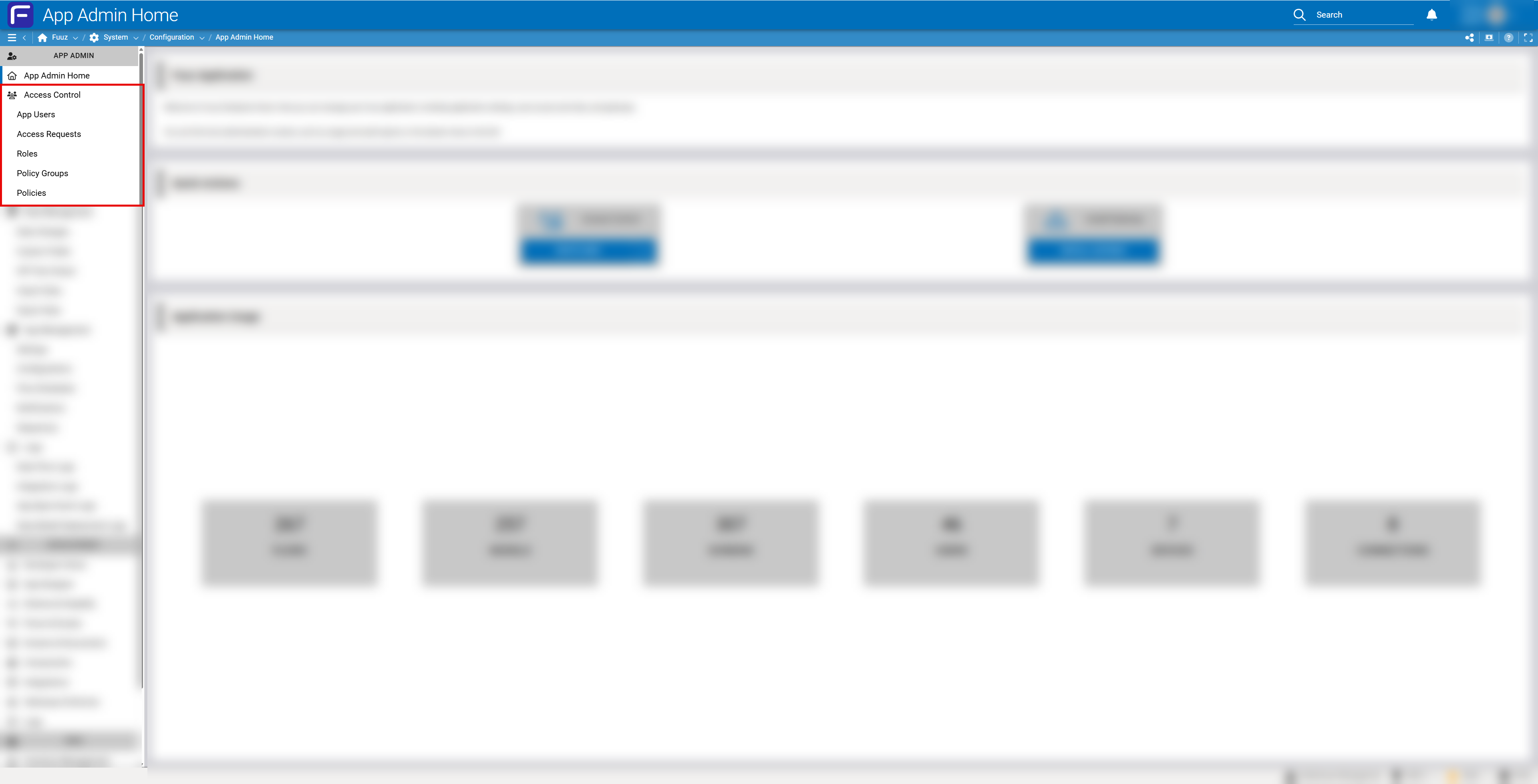
Access Control Menu
The Access Control section in the App Admin menu provides five main areas:
- App Users: View and manage all users with access to the application, including their Access Types, roles, and last login information
- Access Requests: Track all pending, approved, and denied access requests with detailed audit trails
- Roles: Define and configure role-based access controls for Web Access Type users, specifying which application features and data each role can access
- Policy Groups: Create and manage collections of security policies that can be applied to groups of users
- Policies: Configure individual security policies including IP whitelisting, session management, lockout rules, and data access restrictions
Invite User Workflow
When inviting a new user, the Application Administrator provides:
- Email Address: User's email or plus-addressed email identifier
- First Name / Last Name: User's full name
- Access Type: Selection of Application Administrator, Developer, or Web Access
- Initial Roles: Role assignments if granting Web Access or testing roles
- Justification: Business reason for access request (reviewed by Enterprise Administrator)
5. Technical Details
Plus Addressing Technical Implementation
Plus addressing allows multiple unique user identifiers to be created using a single email mailbox. This is particularly valuable for operational users who do not have individual corporate email accounts.
How Plus Addressing Works
Plus addressing inserts a plus sign (+) and an identifier into the local part of an email address before the @ symbol. The email server treats these as unique recipients for authentication purposes while routing all messages to the base mailbox.
Format:
baseaddress+identifier@domain.com

Examples:
supervisor+operator1@company.com
supervisor+operator2@company.com
admin+warehouse_clerk_1@company.com
admin+forklift_driver_3@company.com
Email Provider Compatibility
| Email Provider | Plus Addressing Support | Notes |
|---|---|---|
| Gmail | ✓ Full Support | Native feature, all messages delivered to base mailbox |
| Microsoft 365 / Outlook | ✓ Full Support | Supported via Exchange Online, messages route to primary mailbox |
| Yahoo Mail | ✓ Full Support | Uses hyphen (-) instead of plus; Fuuz supports both formats |
| ProtonMail | ✓ Full Support | Native feature, maintains encryption for all aliases |
| iCloud Mail | ✓ Full Support | Supported for @icloud.com addresses |
| Custom Domains | ✓ Varies | Depends on mail server configuration; verify with IT administrator |
Plus Addressing Benefits for Operational Users
- Unique Authentication: Each operator has a distinct login identity even when sharing a supervisor's mailbox
- Audit Traceability: System logs track individual user actions by their unique identifier for compliance and security
- Role-Based Access Control: Each plus-addressed user can be assigned different roles and permissions
- Individual Lockout: Security policies can lock out individual users without affecting the entire team
- Centralized Management: Supervisor or manager receives all password reset and notification emails in one mailbox
- Cost Efficiency: Eliminates the need to provision individual corporate email accounts for every operational user
Tip: Use descriptive identifiers in plus addressing that indicate the user's role or location, such as
+warehouse_operator1or+line_supervisor_shift_a. This improves readability in audit logs and user management screens.
Security & Governance Model
The two-tier approval process provides multiple layers of security and governance:
| Layer | Responsibility | Governance Function |
|---|---|---|
| Application Administrator | Identifies need for new user access and initiates invitation | Business justification, role definition, application-level need |
| Enterprise Administrator | Reviews and approves/denies access requests | Enterprise security policy compliance, license management, audit oversight |
Security Controls for Plus-Addressed Users
- Account Lockout: Individual user accounts can be locked after failed login attempts without affecting other users sharing the same base email
- IP Restrictions: Policies can restrict access to specific IP ranges, ensuring operational users can only login from designated locations
- Session Management: Each plus-addressed user has independent session controls and timeout policies
- Data Isolation: Role-based data access ensures each user only sees data appropriate for their responsibilities
- Audit Logging: All actions are logged with the full plus-addressed identifier for complete audit trails
Important: While plus-addressed users share a mailbox for receiving emails, they are treated as completely separate users within Fuuz for authentication, authorization, and auditing purposes. Each user must set their own unique password and maintain their own session credentials.
Password Management
- Initial Password: Users set their own password via a time-limited link in the welcome email
- Password Reset: Users can request password resets, which send a reset link to their registered email (or the base mailbox for plus-addressed users)
- Password Policies: Configurable requirements for password complexity, expiration, and history
- Multi-Factor Authentication: Optional MFA can be enabled for enhanced security on a per-user or policy-group basis
6. Resources
7. Troubleshooting
- Issue: Access request remains pending for extended period • Cause: Enterprise Administrator has not yet reviewed the request • Fix: Contact your Fuuz Enterprise Administrator to expedite review, or verify the request was properly submitted in the Access Requests dashboard
- Issue: User did not receive welcome email • Cause: Email may be in spam folder, email address incorrect, or mailbox full • Fix: Verify email address in user record, check spam/junk folders, or resend welcome email from Access Control panel
- Issue: Plus-addressed email not working • Cause: Email provider may not support plus addressing or incorrect format used • Fix: Verify provider supports plus addressing (see compatibility table), ensure correct format (
email+identifier@domain), try hyphen (-) instead of plus (+) for Yahoo Mail - Issue: Multiple operators sharing plus-addressed email cannot receive individual notifications • Cause: All emails route to the same base mailbox • Fix: This is expected behavior; supervisor/manager monitoring the mailbox can distribute information, or configure in-app notifications instead of email notifications for operational users
- Issue: User account locked after failed login attempts • Cause: Account lockout policy triggered • Fix: Application Administrator can unlock account from App Users screen, or wait for automatic unlock based on policy settings
- Issue: Cannot invite users across different tenants • Cause: Access Control is tenant-specific • Fix: User invitations must be created separately in each tenant where access is required
- Issue: Password reset link expired before user could use it • Cause: Welcome email links have time limits for security • Fix: Resend welcome email or initiate password reset flow from login screen
- Issue: User has access in one environment but not another • Cause: Access must be granted separately in each environment (build, qa, production) • Fix: Invite the user in each environment where access is needed
8. Revision History
| Version | Date | Editor | Description |
|---|---|---|---|
| 1.0 | 2024-12-26 | Fuuz Documentation Team | Initial Release |