2026.3 (March 2026)
Article Type: Release Notes Audience: All Users Module: Platform Releases
Note: QA Release Date: March 3, 2026. Production Release Date: March 17, 2026.
2026.3 Release Highlights
As promised last month, we have a packed list of new features and improvements to highlight this month - so many that we can't highlight them all! If you have questions on any of the features or enhancements in the detailed release notes, leave a comment and I'll be happy to explain. Without further ado, let's jump in!
Screen Designer Structure Tab
The first highlight this month is over in our screen designer: a new Structure tab! This new UI is intended to combine and replace the "Layers" and "Scripts" tabs, providing a tree view of the overall screen structure but with a vastly improved user experience - including filters, script preview and editing, and synchronization with canvas selection state. This UI should look familiar - it's the same underlying component as the Application Designer's Workspace panel, keeping the user experience consistent. That also extends to tree hotkeys, like Shift+Click to expand all descendants!
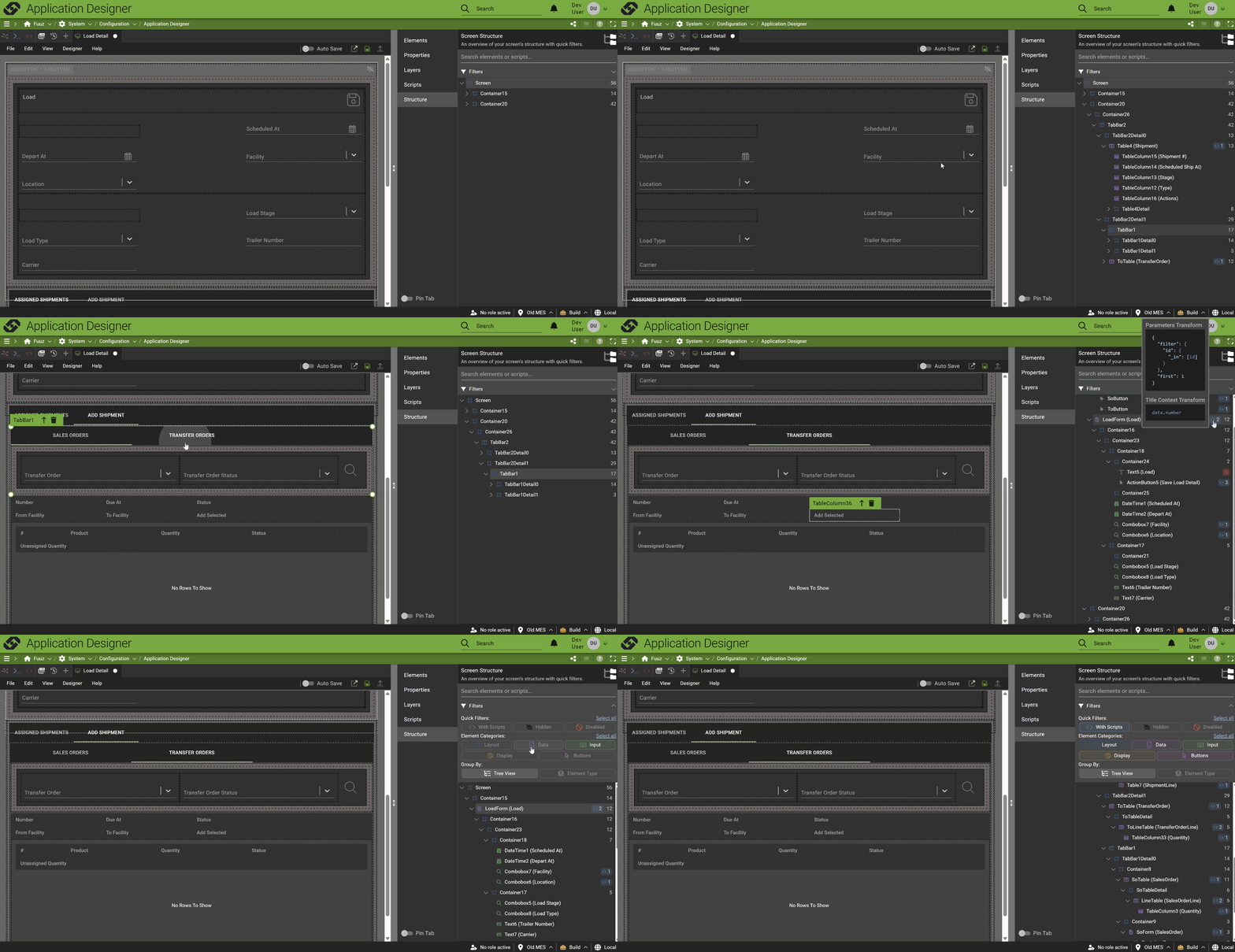
There is one feature still in progress: we haven't yet brought the drag-and-drop features of the Layers tab over to Structure, but we're working on that now. Once that feature is integrated, we'll remove the Layers and Scripts tabs!
API Documentation Screen
The 2026.3 release also includes a new screen, available standalone or as an Application Designer tab: a unified API Documentation page. This screen brings together our existing GraphQL API documentation with other APIs that have always existed, but perhaps been less obvious: data flows and webhooks!
The data flow documentation includes details on any request/response flows that are executable as RPC APIs - including header information, sample cURL requests, and body examples (if available).
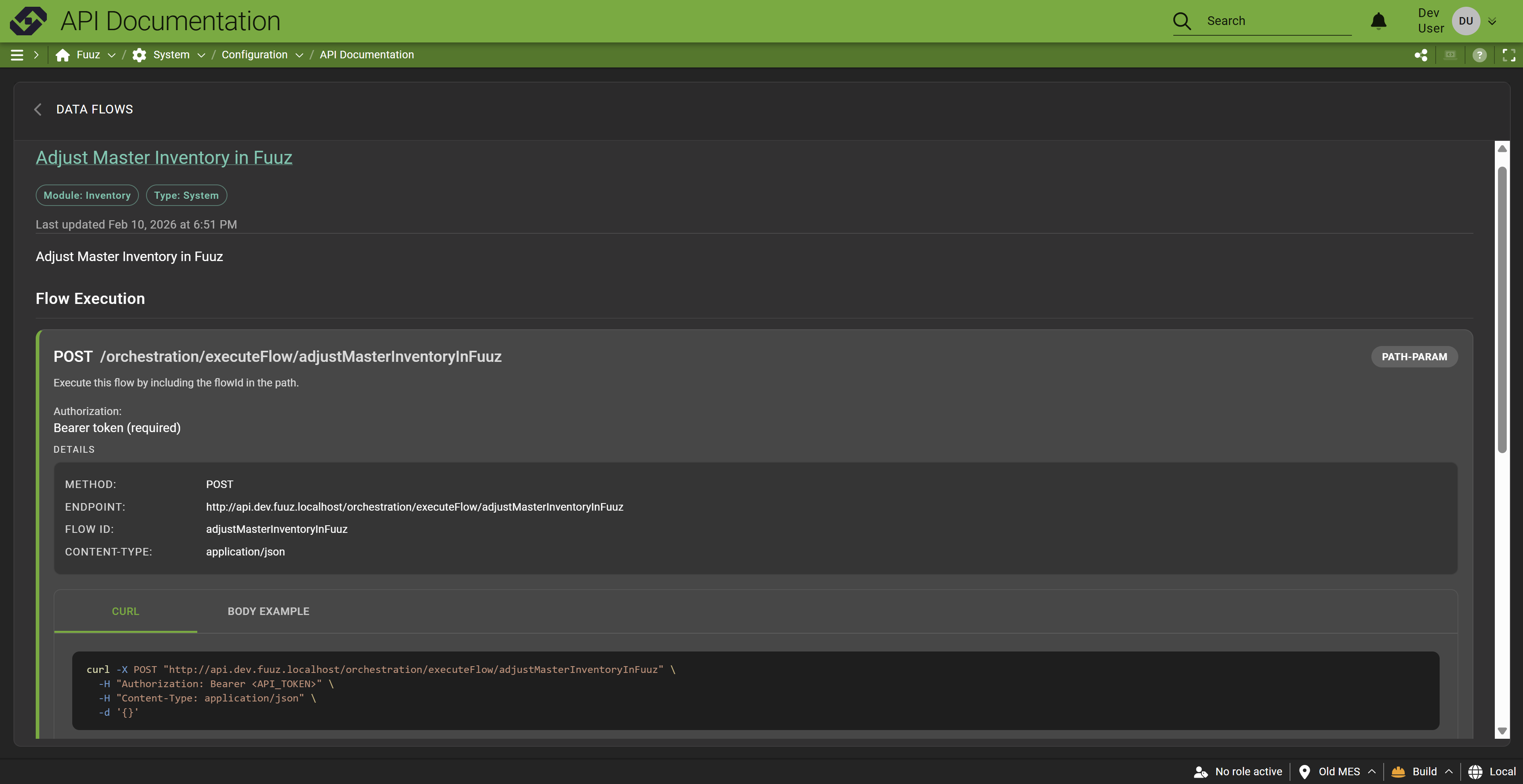
Similarly, any topics available as webhooks provide documentation on how to post information over to them:
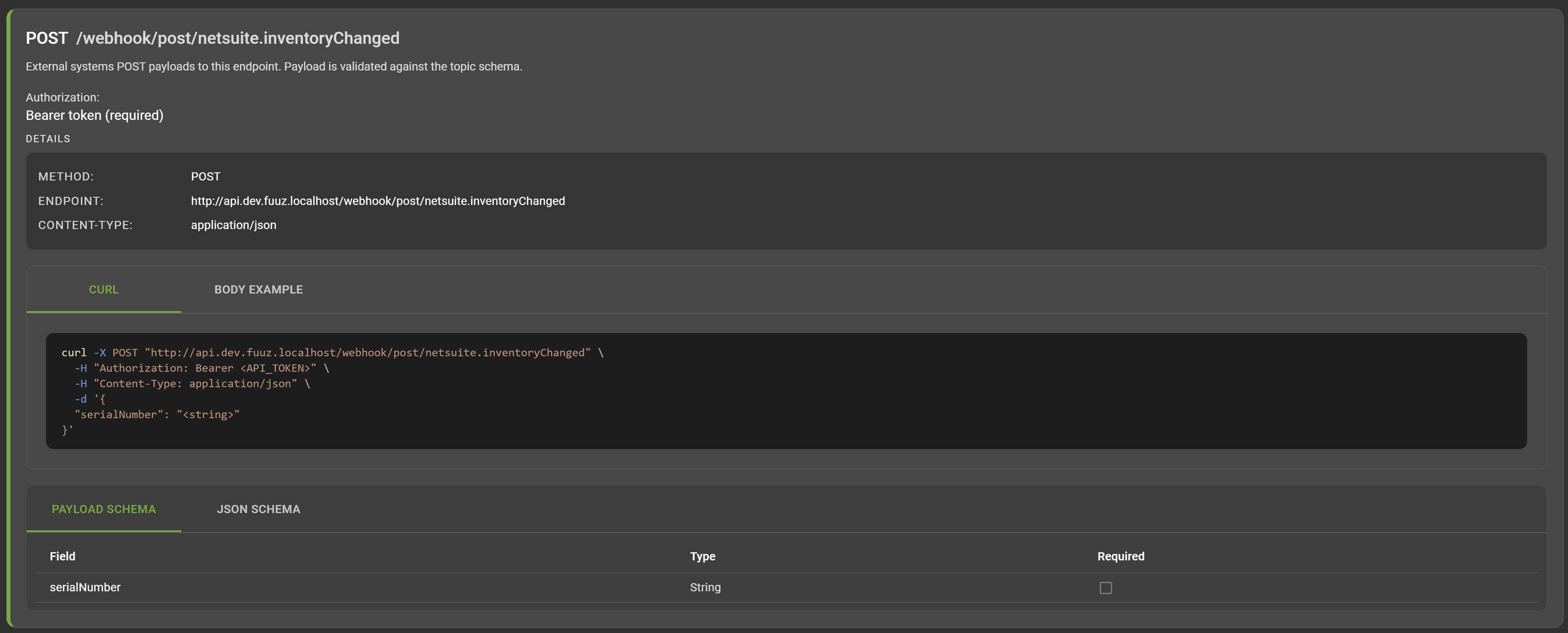
We've had a generic version of this information available in our Knowledge Base for some time, but this new API Documentation screen is based on the app built in the current Fuuz tenant, so it shows the actual flows and webhooks available - much more intuitive!
Application Designer Enhancements
This month's release includes a slate of enhancements to the application designer - we'll go through a few of them quickly. There are more improvements underway now and even more stacked in our 2026 roadmap, so if you're not using the application designer yet, you probably should be!
Better Schema Designer Interaction
First up, we've substantially improved the way the schema designer behaves when used within the app designer. The app designer will now share a single tab for data models rather than opening a new one for each model; the integration between the schema designer and workspace panel has been improved; and the state of that schema designer tab is now persisted across page refresh, addressing the annoying case where your carefully arranged diagram could get wiped out if your session expired.
System Models in Workspace Panel
On a related note, we've added system data models like units, users, and files to the app designer Workspace panel and tree. These models are hidden by default with a new quick filter to display them; when you open a system model, it adds it to the schema designer tab so you can add links from custom models.
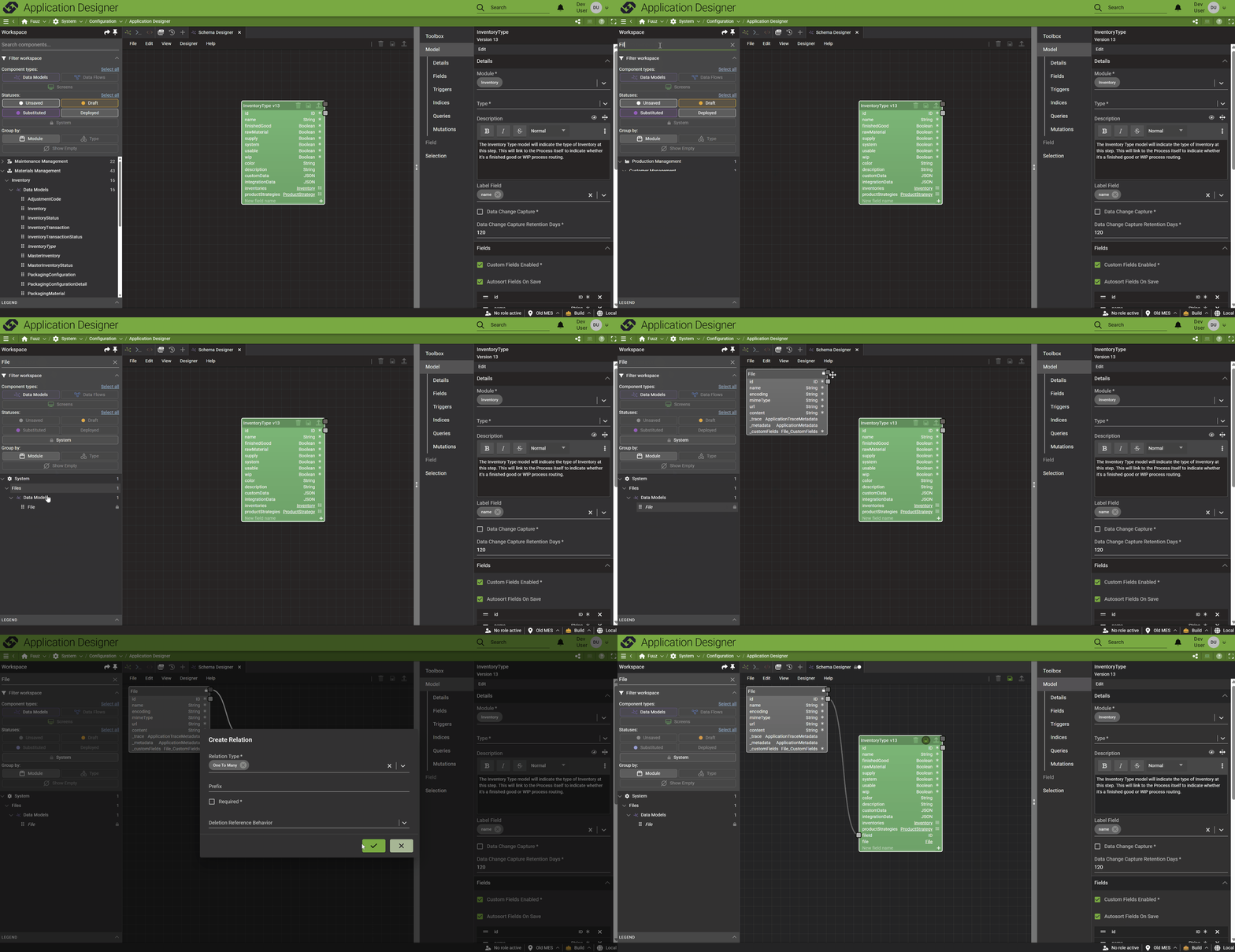
This change means the Toolbox panel in the schema designer is now redundant (and confusing) - so rather than keep both, we've removed the models from the Toolbox panel, making the Workspace the place to go to add models to the diagram. The Toolbox panel looks pretty empty for the moment, but don't worry - we have plans to populate it with useful data model templates!
New Utility Tab Types
The Application Designer also includes new tab types for common utilities that are handy when developing an application, including the Script Editor and GraphQL Editor. For now, these tabs are just "utilities" - editing saved scripts or queries isn't fully integrated into the app designer - but that's coming soon!
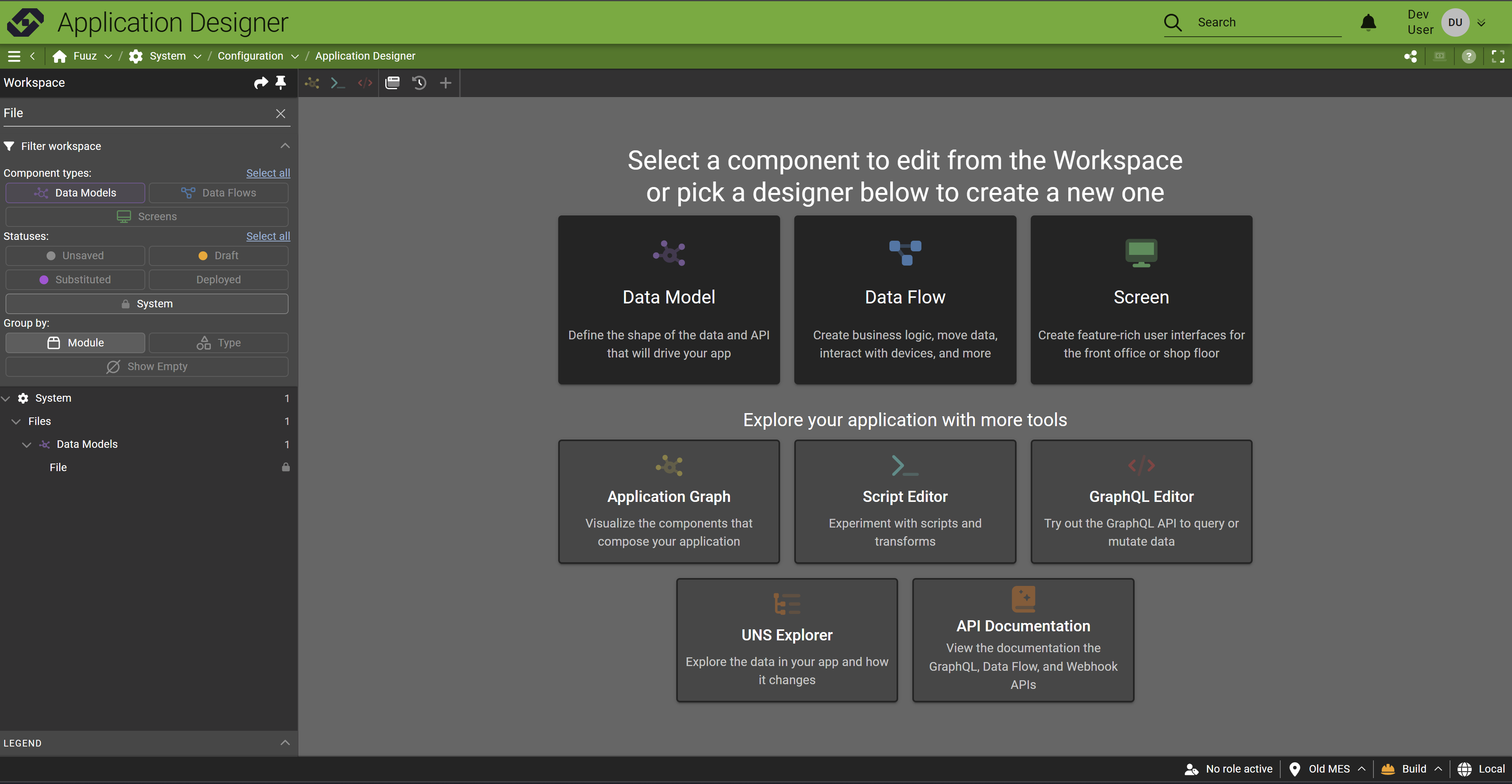
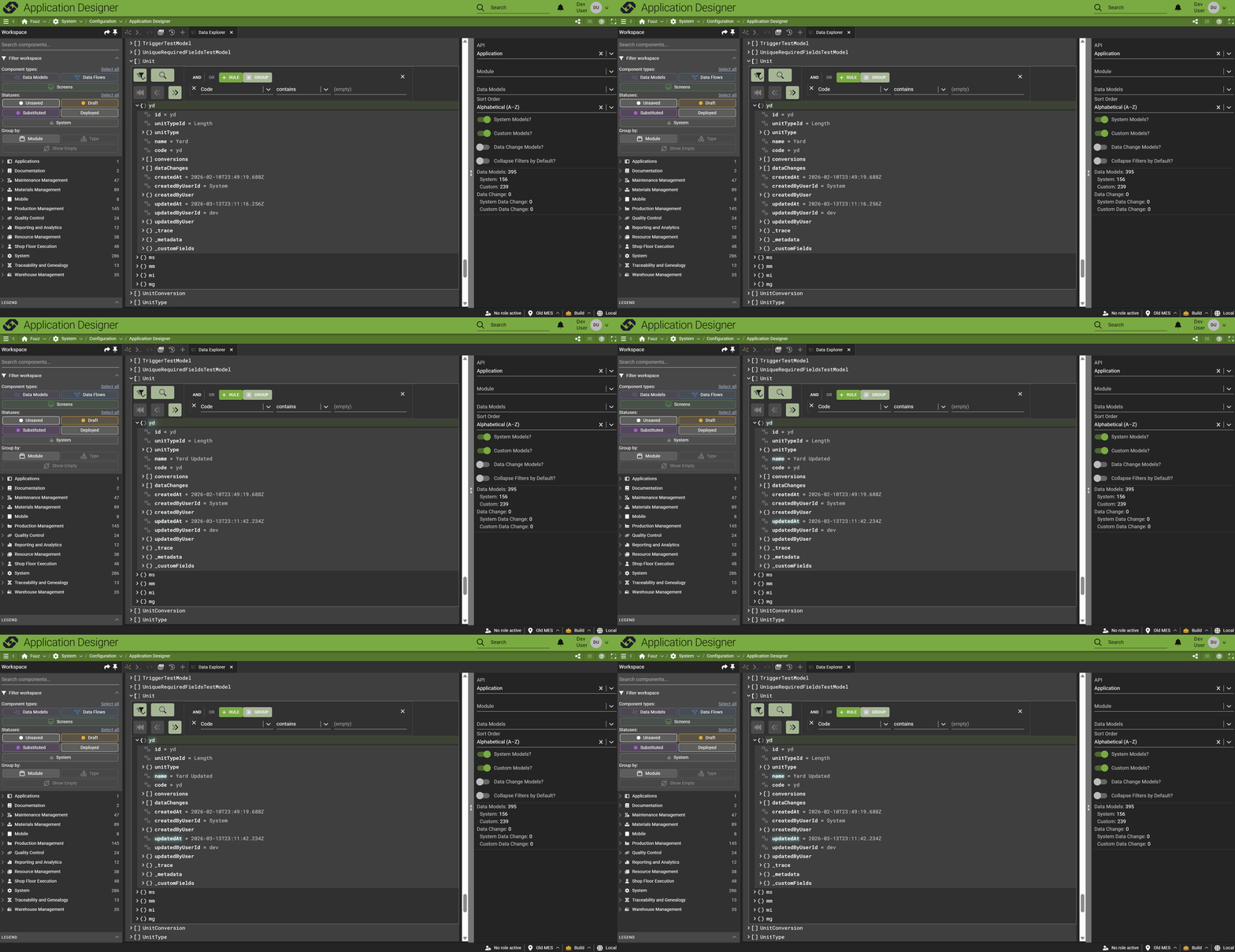
Also included is a link to our UNS/Data Explorer - an enhanced version of the API Tree Browser we released last year. This enhanced version includes live data subscriptions to stream changes into the view and improved performance!
More Highlights
Logo Mark & Favicon Update
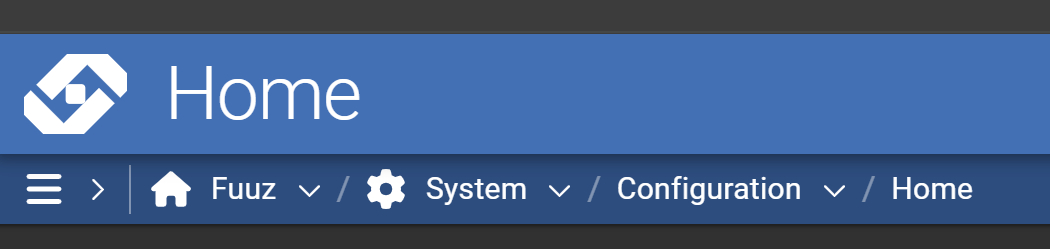
With the 2026.3 release, you'll find that our logo mark has changed! In the site header and tab favicon, you'll find the Fuuz "F" has been replaced with our new "chain" mark. This update has already been applied to our support portal and commercial website, so you may have already seen it - but if not, don't worry... it's still the same Fuuz platform you know and love!

New App & Admin Home Screen Dashboard
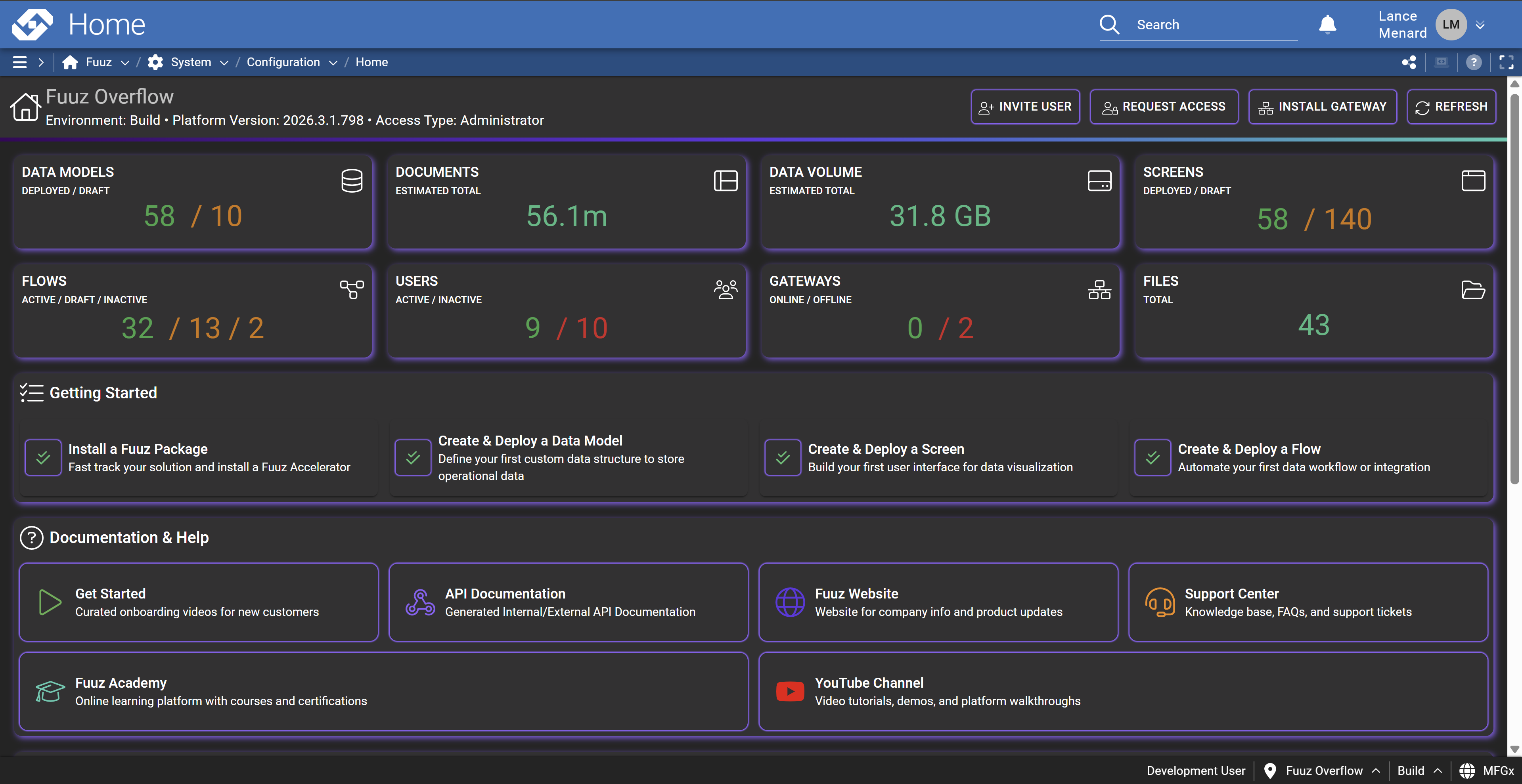
Finally, this month's release includes a revamped set of administration home screen dashboards. These screens are a great landing page for admin users, providing a snapshot of tenant or enterprise application usage and status, common quick actions such as granting or requesting access, plus quick links to get new users started - help, documentation, support, and more!
Full Release Notes: 2026.3.0
Data
Schema Designer
- Added a "New Model from File" function to quickly create a data model matching a CSV or JSON data file
- Added a "data model type" dropdown when creating many-to-many relations
- Removed validation preventing models from being deployed before creating relations
GraphQL API
- Updated data change capture system to skip rebuilding TTL indexes on model deployment if the data change retention hasn't changed
- Updated data models to automatically index all date and date time fields
- Updated data models to use the first version's module until the model is deployed for the first time
Security & Administration
- Added new enterprise and app home screens displaying database usage metrics
- Added enterprise-wide metrics dashboard showing system usage across all three environments (build, QA, and production)
- Removed duplicate authentication event logging for API key verification failures occurring in the subscription service
- Removed a misleading error snackbar that could pop up when adding a new user without selecting a role
Integration
Edge Gateway
- Corrected an edge case crash caused by screen delete data change events
- Corrected a bug causing the gateway to not respect the Scan Rate Seconds configuration option on Modbus devices
Integration Platform
- Added API Documentation screen (also available in the Application Designer) to act as a one-stop-shop for documentation on available Fuuz APIs
Orchestration
Data Flow System
- Standardized and improved data flow node and configuration field documentation across the board
- Updated data flow console to extract and display the most relevant (root) error message when deeply-nested HTTP errors are displayed
Package Management
- Corrected an issue that could occur when installing a package which included a saved script which had never been deployed
User Interface
Framework
- Updated data tree viewer to support real-time streaming of data changes
- Updated system favicon and logo mark to new Fuuz "chain" (so long, "F"!)
- Corrected an issue with width and height handling causing Gantt charts and visualizations to not render correctly
- Added data props to screen elements to streamline automated UI testing
- Added framework library to support custom navigation drawer contents (to be exposed as a screen designer feature in a future release)
- Updated drawer navigation menu to make sections collapsible
- Added loading backdrop during sign-in/tenant change
- Updated tenant change to streamline state changes and minimize the number of UI changes while loading
- Corrected a bug causing the drawer menu to render incorrectly on mobile devices
- Improved the loading cycle of select inputs to reduce the amount of time they take on page load before they're "ready"
Screen Designer
- Added a new Structure tab to provide a filterable and browsable tree view of screen layout
- Added an Accordion screen designer element to easily create groups of collapsible panels
- Added X and Y axis label configuration options for line, bar, and timeseries charts
- Added configuration options to disable date range navigation in timeseries charts
- Added an "On Timer Expired" script to the Timer screen element to allow screen updates when the timer expires
- Added dedicated editable table UI inputs for float, integer, date, date time, time, measure, and ratio measure fields
- Added configuration option to the Table element for Initial Row Height
- Added configuration option to the Table Column element for Background Color Field
Application Designer
- Improved tab management and interaction with Schema Designer
- Added system data models to the Workspace panel tree
- Added support for Script Editor, GraphQL Editor, Data Tree Viewer, and Documentation Explorer tabs
- Addressed a few small bugs that were lingering from previous workspace tree refactor
- Corrected a bug causing the state of new screens to not update correctly when saved