2023.3 (March 2023)
Article Type: Release Notes Audience: All Users Module: Platform Releases
Here are some of the major highlights from the March 2023 release of the Fuuz platform.
Screen Widgets & Dialogs
One of the most exciting features (or sets of features, really) in the 2023.3 release are screen widgets and dialogs. These features have been under development and testing for some time, and we're very excited to release them - they'll enable even more rich UI options in the screen designer.
Screen Widgets
Screen widgets is our term for a screen element… that's a screen! That's right - in 2023.3, when you save a screen, you'll have the choice to mark it as a "widget", which means you intend for it to be embeddable within other screens:

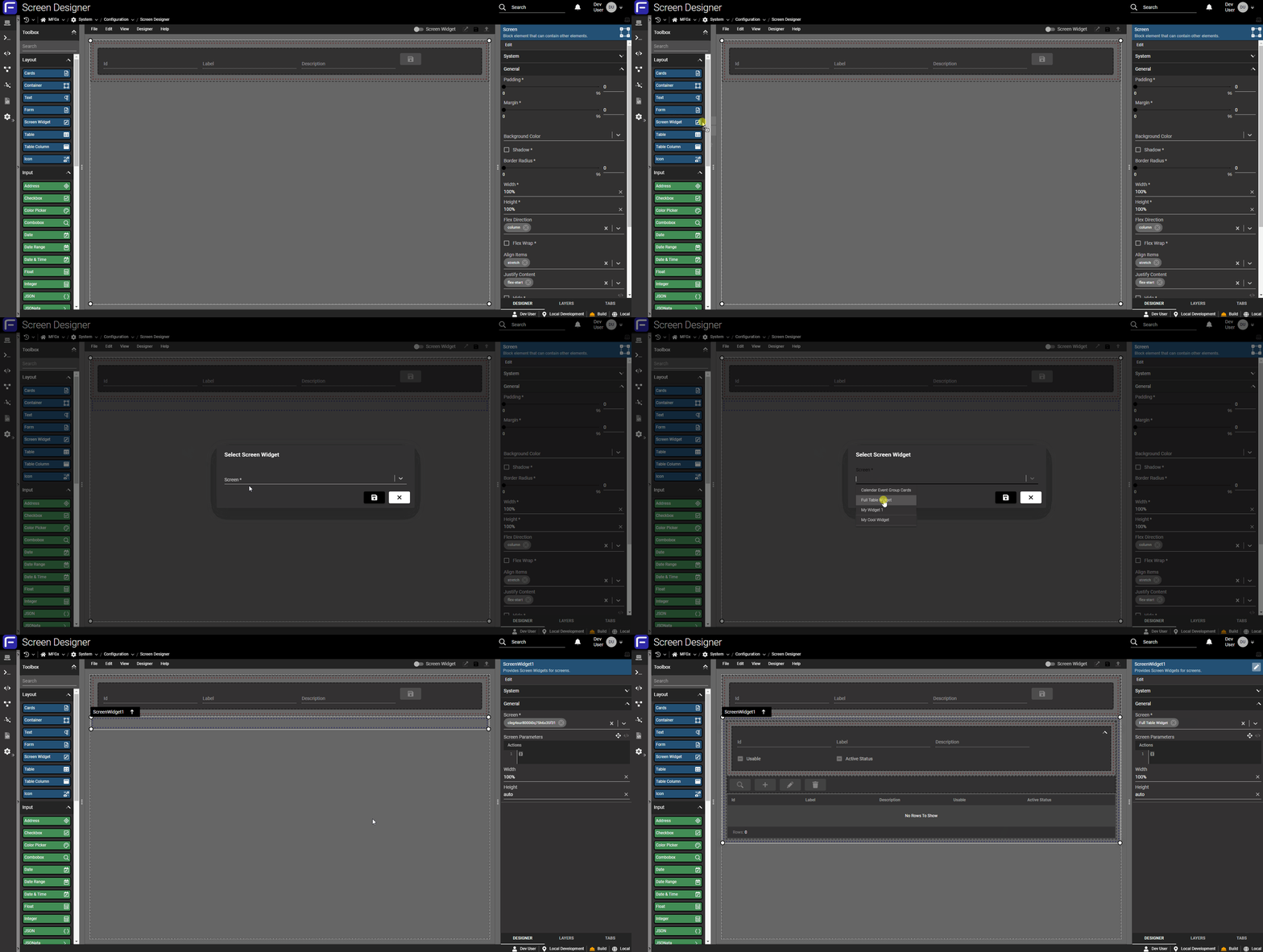
Once a screen widget is saved and deployed, you can use the new "Screen Widget" element to drag and drop that entire screen into another one:
The widget element will embed the entire selected screen inside the element! This allows screen builders to create complex reusable "component" screens which can then be shared between other screens, to create collapsible and standalone forms that reuse the same screen, and more!
Screen Dialogs
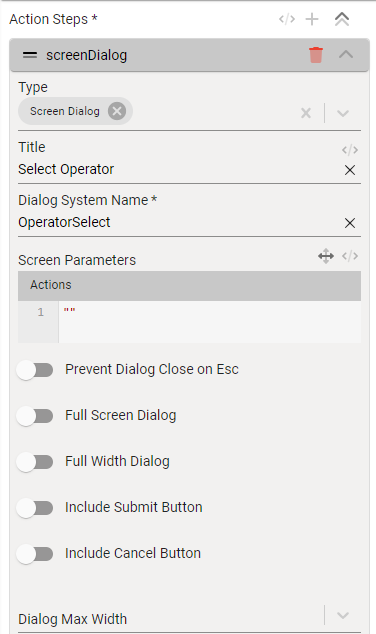
Screen dialogs are a similar concept to screen widgets, but inside a dialog. Rather than a new element type, dialogs are a new step in screen actions. These dialogs come with lots of configuration options to make them as flexible as possible, and can include tables, forms, cards, and any other screen elements, allowing screen builders to create rich (and reusable) dialog interfaces as well!
Edge Gateway Windows Service Beta
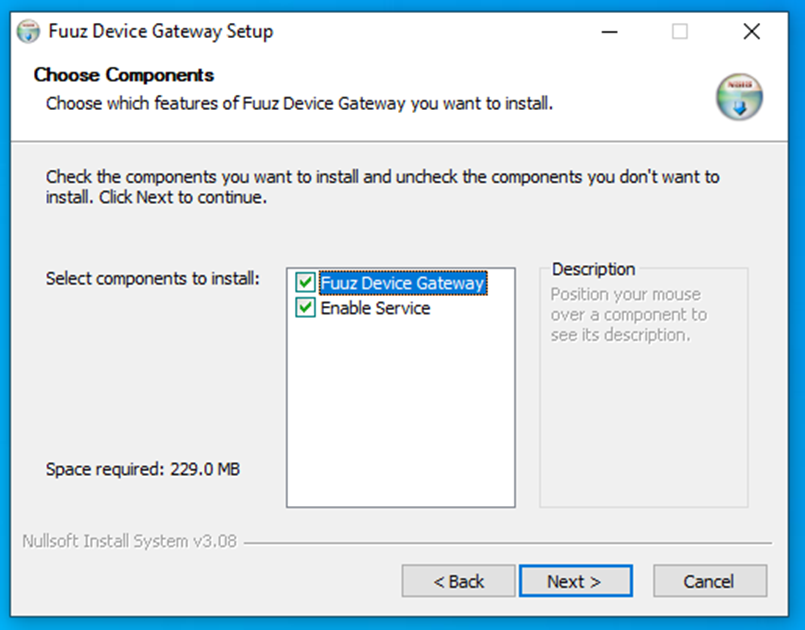
This month, the IIoT team is releasing a beta version of a project they've been working on for some time: a new Edge Gateway which runs as a Windows service. The Edge Gateway Service comes with an improved installer for Windows:
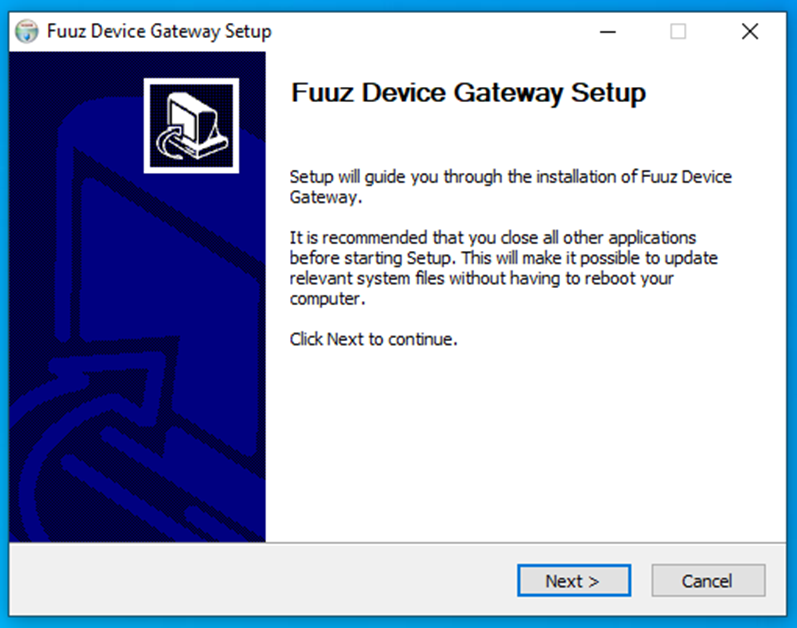
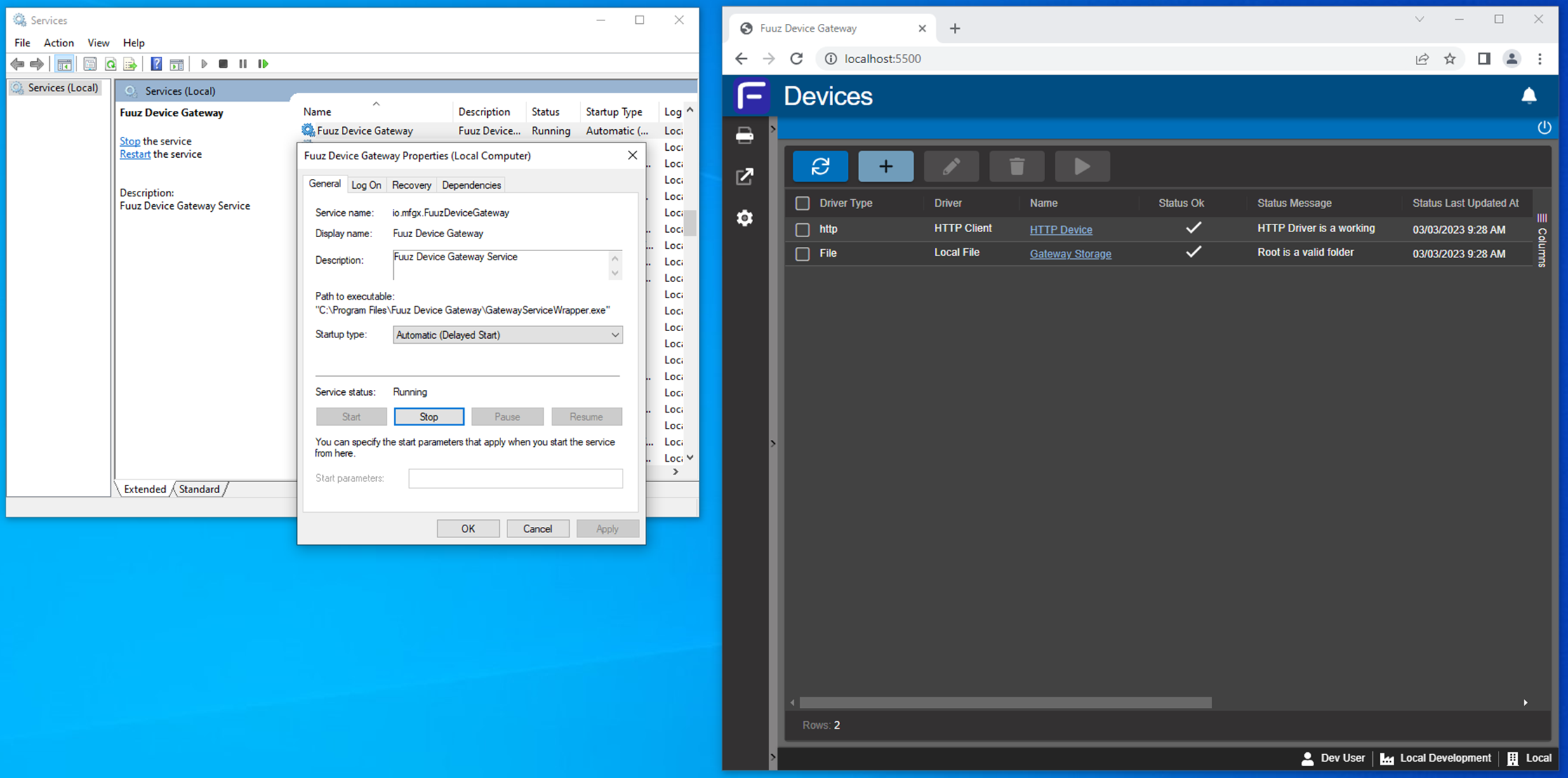
Once installed, the service can be started and stopped via the Windows service manager, and the gateway configuration can be managed from a locally-installed web browser or the Fuuz platform, just like the existing desktop application.
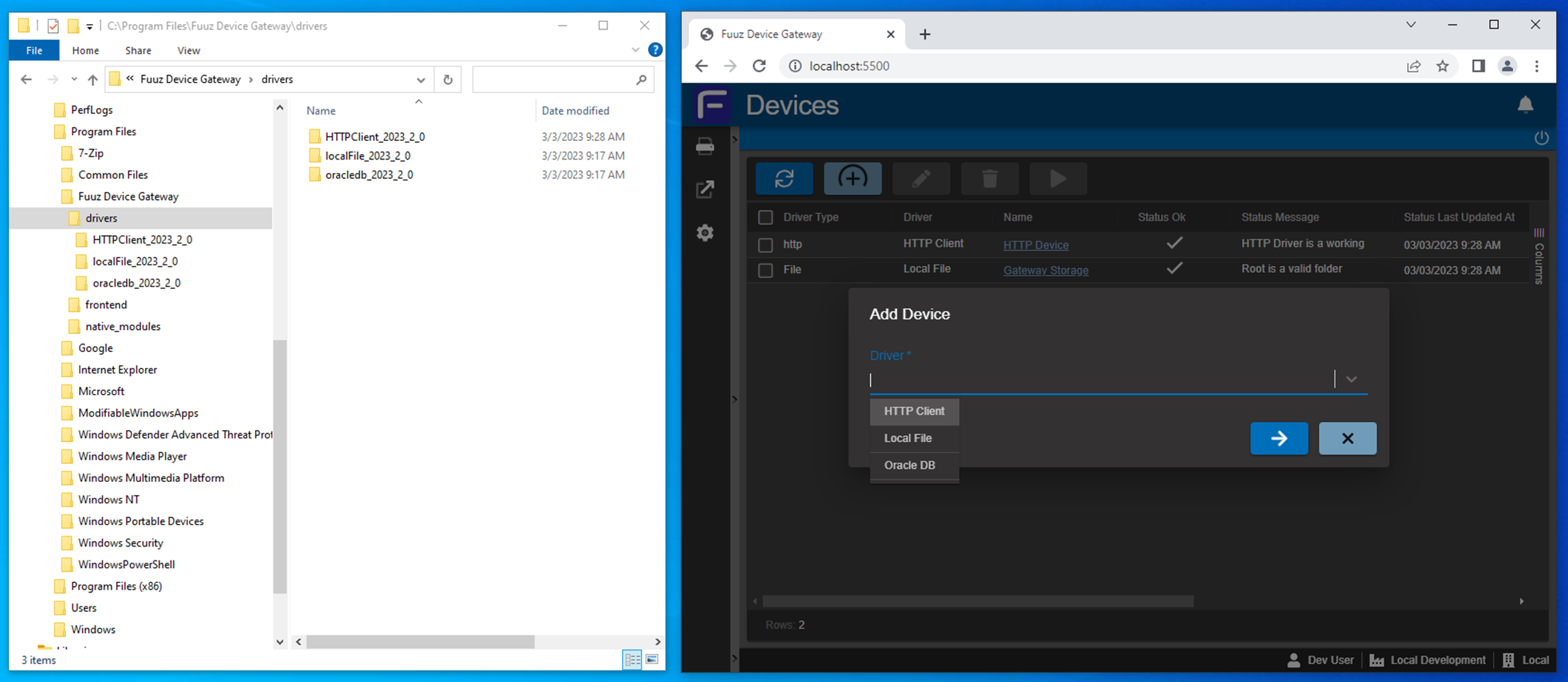
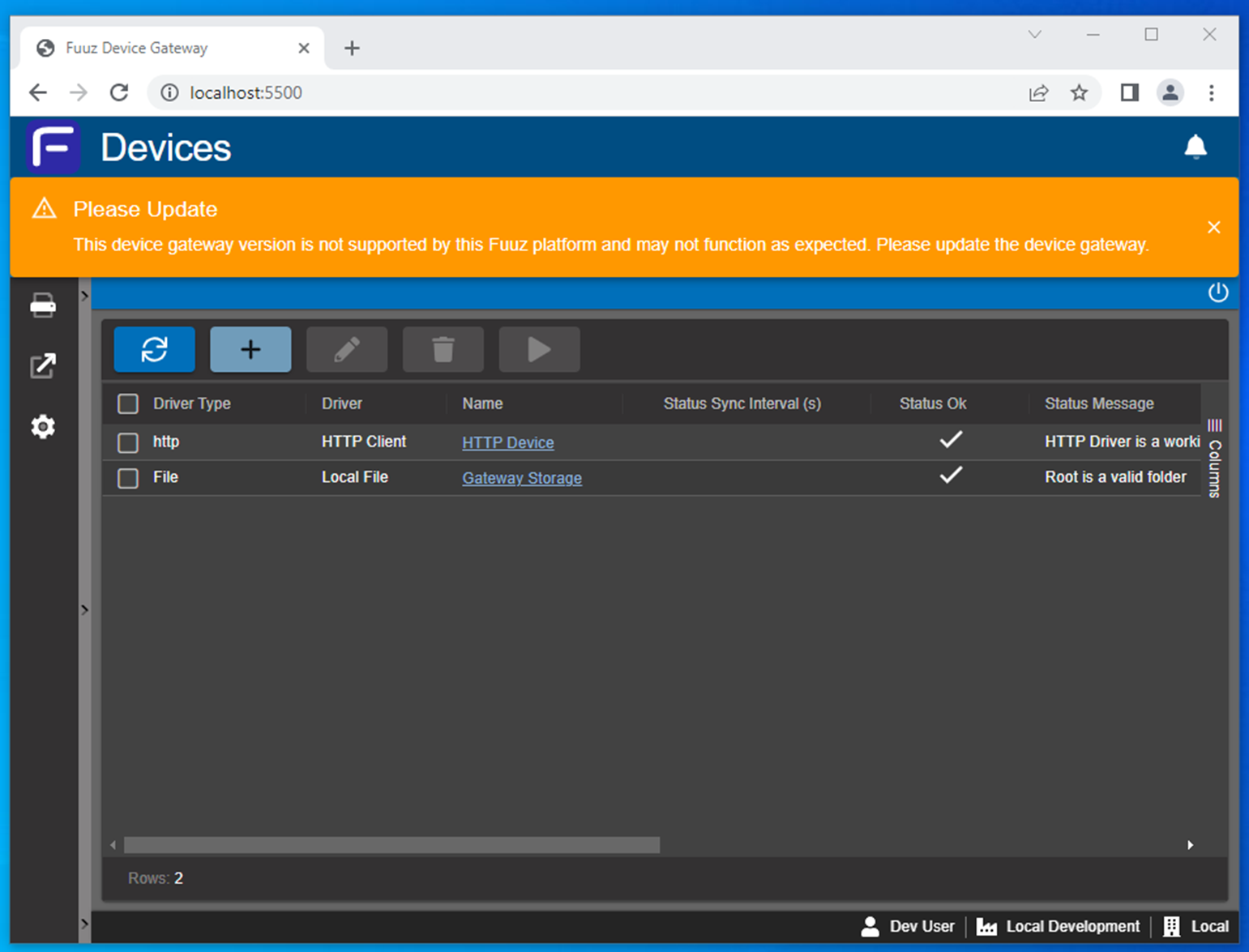
This brings some improvements to reliability and ease of management, and the team managed to work in several significant features along the way. These include a new "pluggable" driver infrastructure which allows administrators to pick and choose which drivers to install and run on their gateway (and which opens the door for custom driver development in the future), in-app update notifications for new releases, and other improvements aimed at stability and performance.
Navigation Updates
This month's release includes some updates to common navigation elements in Fuuz - the subheader and the footer.
Subheader Updates
We'll start at the top: the actions on the right end of the subheader have been updated:
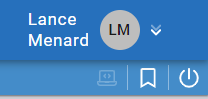
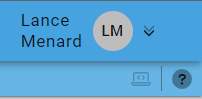
The "log out" and "favorites" actions have been removed, and a new "show field-level help" action has been added. The sign out action is still accessible through the avatar menu; favorites have always been in an odd place, and after some internal discussion we've chosen to remove them and recommend that users rely on either browser favorites or role menus depending on the situation.
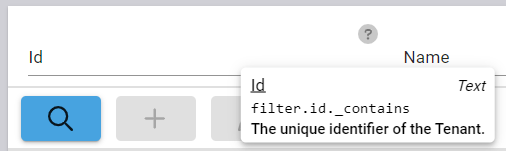
The new field-level help action will toggle "help" question marks on every input field and table column in the system.

Hovering over these help icon will display the field name, type, data path, and description/help text:
Footer Updates
At the bottom of the screen, the Fuuz footer has received a refresh and some new features.


The footer icons have been updated for clarity, and a new color-coded "environment" section has been added indicating whether you're in a build, QA, or production environment. This means the footer displays information about the site in order of specificity: user, tenant, environment, and enterprise. In addition, this environment section will allow switching between other environments you have access to within your enterprise - this feature will roll out slowly over the coming weeks, so if you don't see it yet, don't worry.
More Highlights
Font Awesome Update
This month includes a major update to our icon library, Font Awesome, increasing the number of available icons from around 1,800 to over 3,100. In addition, many commonly-used icons have received a graphical update, and an upcoming Fuuz release will add support for new "sharp" and "thin" variants to provide even more flexibility!
Schema Designer Toolbox Improvements
2023.3 includes a few improvements to the toolbox in the Schema Designer. First, the search bar now searches field names in addition to model names, making it easier to find which models contain a field, or find a model if you only know a field name. Second, the toolbox is now grouped by module instead of by "Custom" and "System", providing better visual clarity on which models are grouped into which modules.
JSON to Schema Binding & Screen
The Orchestration team has released a new $jsonToJsonSchema binding and a matching "Convert Json to Json Schema" utility screen. This screen simplifies the process of adding input validation to data flows if you have a sample payload: just plug the payload in and the screen will convert it to a valid JSON schema which can be used to ensure flow payloads match the example. The screen even has a "Copy to validate node" button which lets you paste the schema right into the flow designer as a Validate node, ready to hook up!
New Screen Designer Element Features
In addition to screen widgets and dialogs, this release also includes several smaller new features for other screen elements. Action buttons now have a transformable "Hide" property like containers, allowing them to dynamically appear and disappear based on the state of the application, and forms now have new $enableField and $disableField functions available to set the enabled or disabled state of a form input. Additionally, the designer now has a "Toggle Preview" mode, which hides the additional borders and padding added to layout elements; these borders and padding make the elements easy to find and click on, but result in a designer layout that is slightly different than the deployed screen. This preview makes it easier to precisely align elements and verify the exact layout within the designer.
Full Release Notes: 2023.3.0
Data Team
Core APIs
- Corrected an issue causing update and upsert operations to incorrectly compare case between IDs in payloads and system
Schema Designer
- Updated model field list to display built-in system fields for clarity
- Updated toolbox search to also search against fields within each model
- Updated toolbox to group models by module rather than Custom/System
Security
- Corrected a bug which could cause users to be created without policies or groups attached
Miscellaneous
- Added simple builder UI for role menus
DevOps Team
Helm Charts
- Updated Linkerd configuration to explicitly bypass certain core services ports
IIoT Team
Edge Gateway
- Released beta version of Windows service Edge Gateway application
Orchestration Team
Bindings
- Added
$momentMinand$momentMaxbindings to compare dates in transforms - Added
$jsonToJsonSchemabinding and utility screen to convert a JSON object to a schema that can be used for payload validation in the flow designer - Updated
$getAvailabilityBetweenbinding to return calendar events within the date range
Miscellaneous
- Updated data flow metric and log collection to eliminate a potential source of messages without a messageId
User Interface Team
Navigation
- Added a button to the system submenu to toggle field-level help
- Updated system footer to display enterprise and environment information, and to allow changing environments where permitted
- Removed Sign Out and Favorites actions from the system submenu
Components
- Corrected an edge case which could cause table data transforms to not work correctly when IDs contained a period
- Updated icon system to FontAwesome 6, substantially increasing the number of available icons and giving a refresh to some commonly-used icons in the system
Screen Designer
- Added an element and supporting functionality for screen widgets
- Added an action step type and supporting functionality for screen dialogs
- Added a Hide property to action buttons
- Added functions to the Form element to enable and disable fields by name
- Added "Toggle Preview" menu option and hotkey to toggle additional borders and padding around designer elements
- Corrected a bug with the screen designer "Blank" template
- Updated the Table element to not include a system-generated Default view if the table includes a custom view with the same name