Change a User's Access Type
Article Type: How-To / Step-by-Step Audience: Enterprise Administrators Module: Fuuz Platform / Access Control Applies to Versions: 2025.12+
Goal
Change a user's Access Type for a specific tenant (application) from the Enterprise Administration tenant.
Note: The following Access Types can NOT be updated/changed after initial user creation:
- Enterprise Administrators — By default, anyone who is an enterprise admin cannot be reduced to anything less than Administrator in any application.
- API — API access types cannot be increased/changed.
- Gateway — Gateway access types cannot be increased/changed.
API & Gateway Access Types work similarly to Web Access — additional Roles (Policy Groups) must be attached in order to grant further access to specific data within Fuuz to these system-based users. These access types should never be used to log in to the front end / UI of Fuuz.
Steps
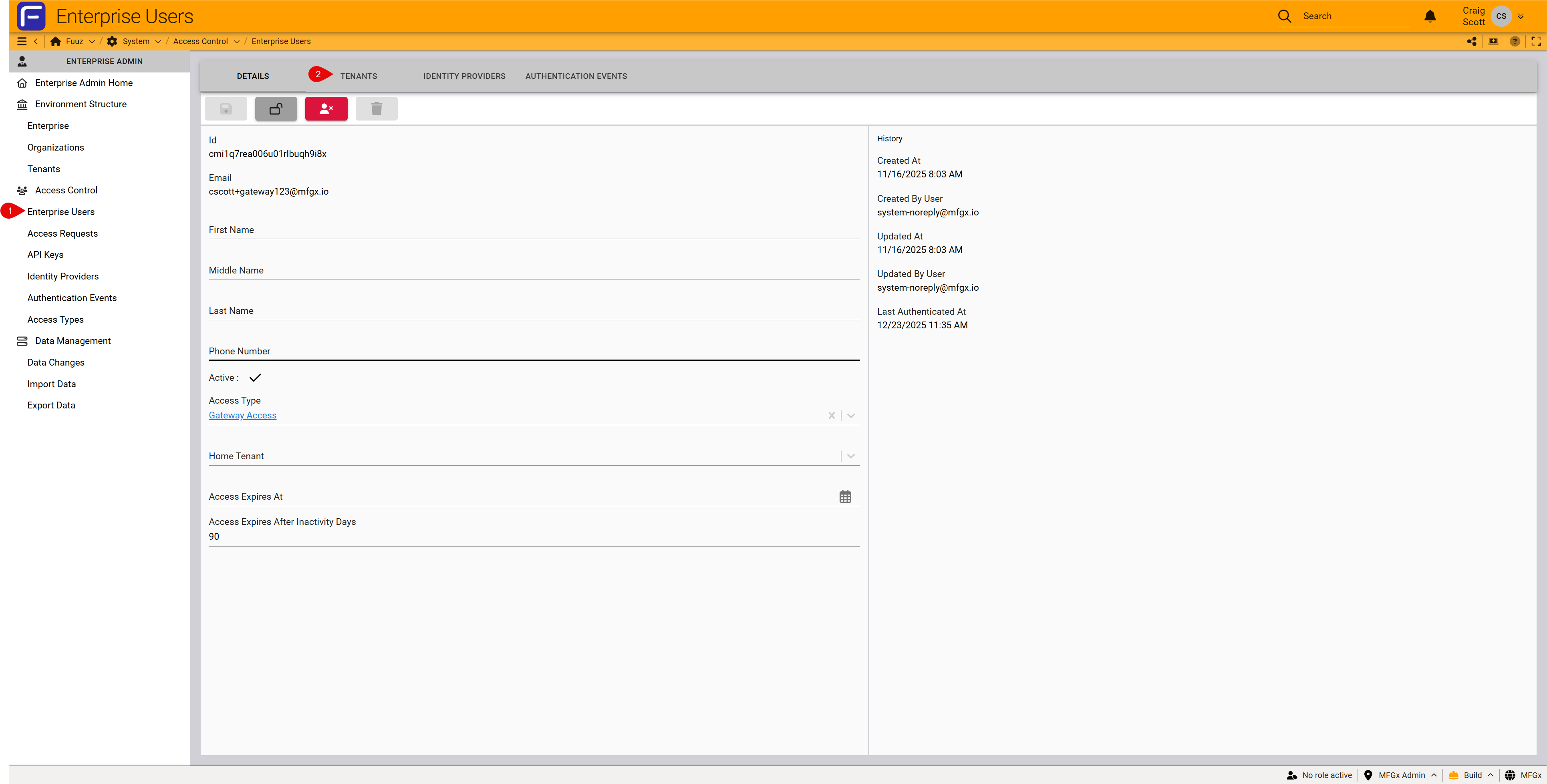
- Log in to Enterprise Administration and open Access Control → Enterprise Users.
- Find and select the user.
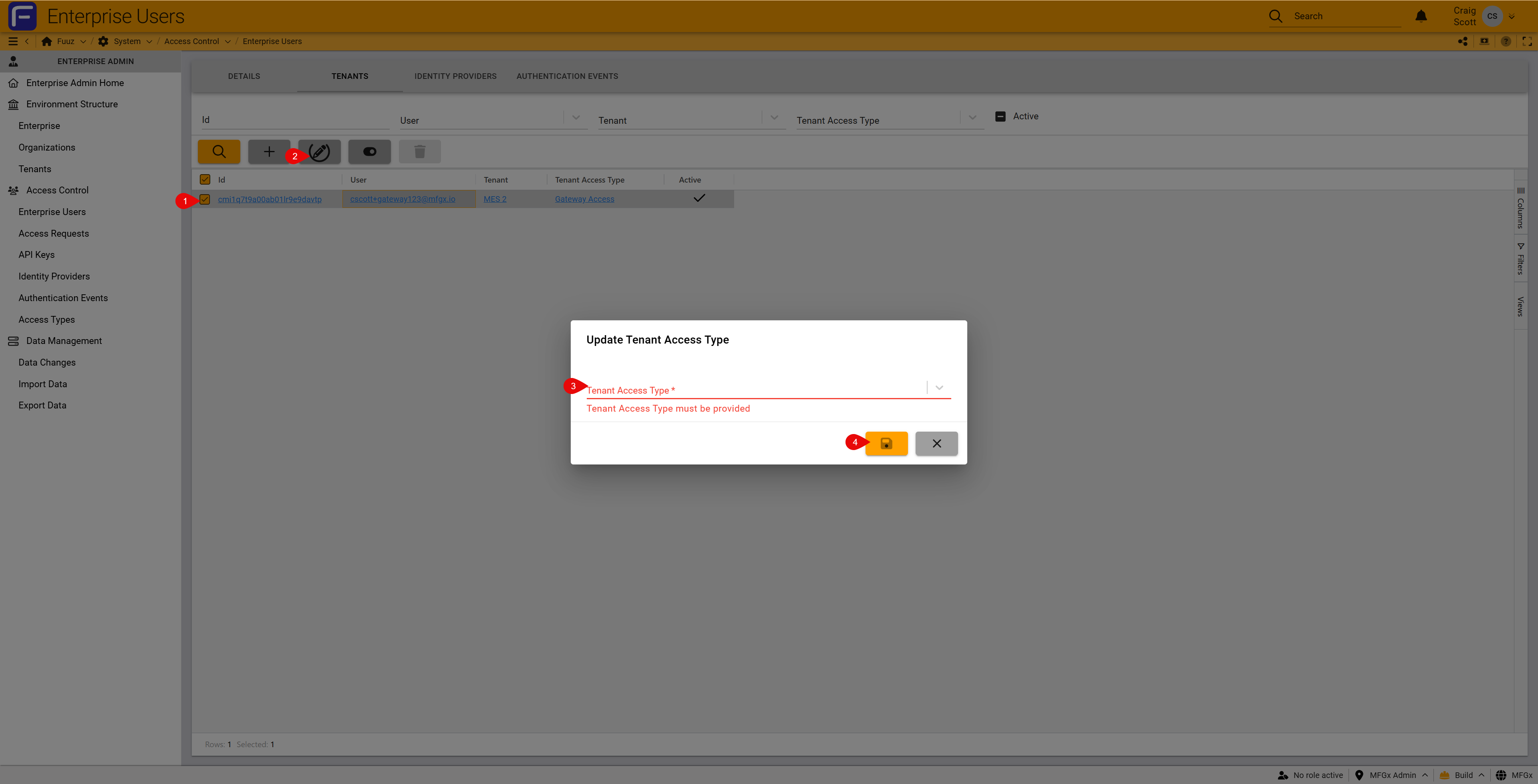
- Open User Tenants, select the target application, and click Edit.
- Change the Access Type (Administrator / Developer / Web / API / Gateway as applicable).
- Save, then have the user sign out and sign back in; refresh the screen to load the new menus.
Tip: If you don't see expected menus, clear cache or refresh; Access Type changes may require a fresh session.
Revision History
| Version | Date | Editor | Description |
|---|---|---|---|
| 1.0 | 2025-12-23 | Fuuz Documentation Team | Initial Release |