Add Users to Fuuz Apps
Article Type: How-To / Application Administration Audience: Application Administrators Module: Fuuz Platform / Access Control Applies to Versions: 2025.12+
Goal
Application Administrators add existing enterprise users to their application and assign roles (without creating enterprise users).
Note: Enterprise Administrators can skip this process and create new users straight away from the Enterprise Admin environment. This feature provides control between corporate and site level access.
Steps
- Open the target application and log in with Application Administrator access.
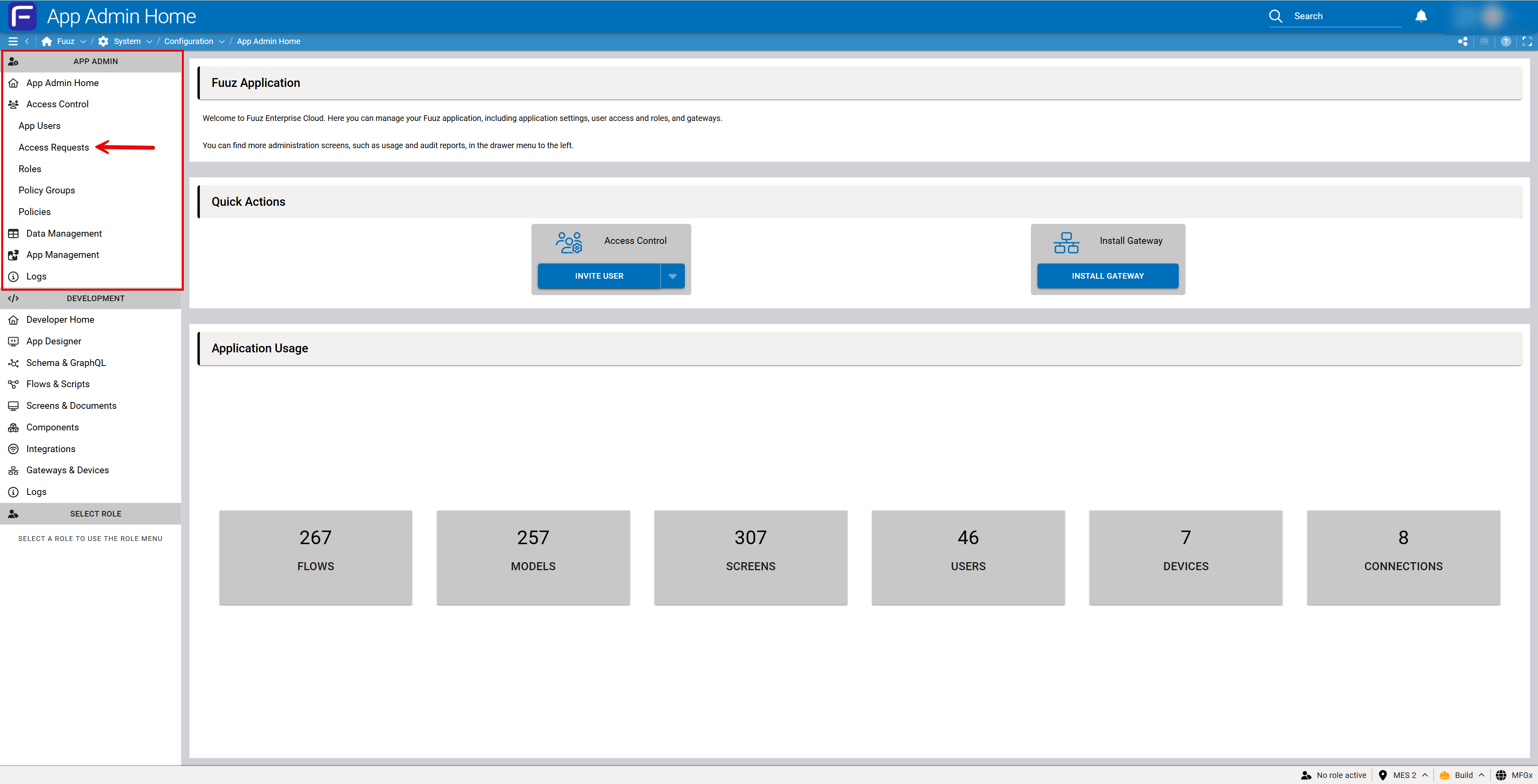
- Navigate to Access Control within the app.
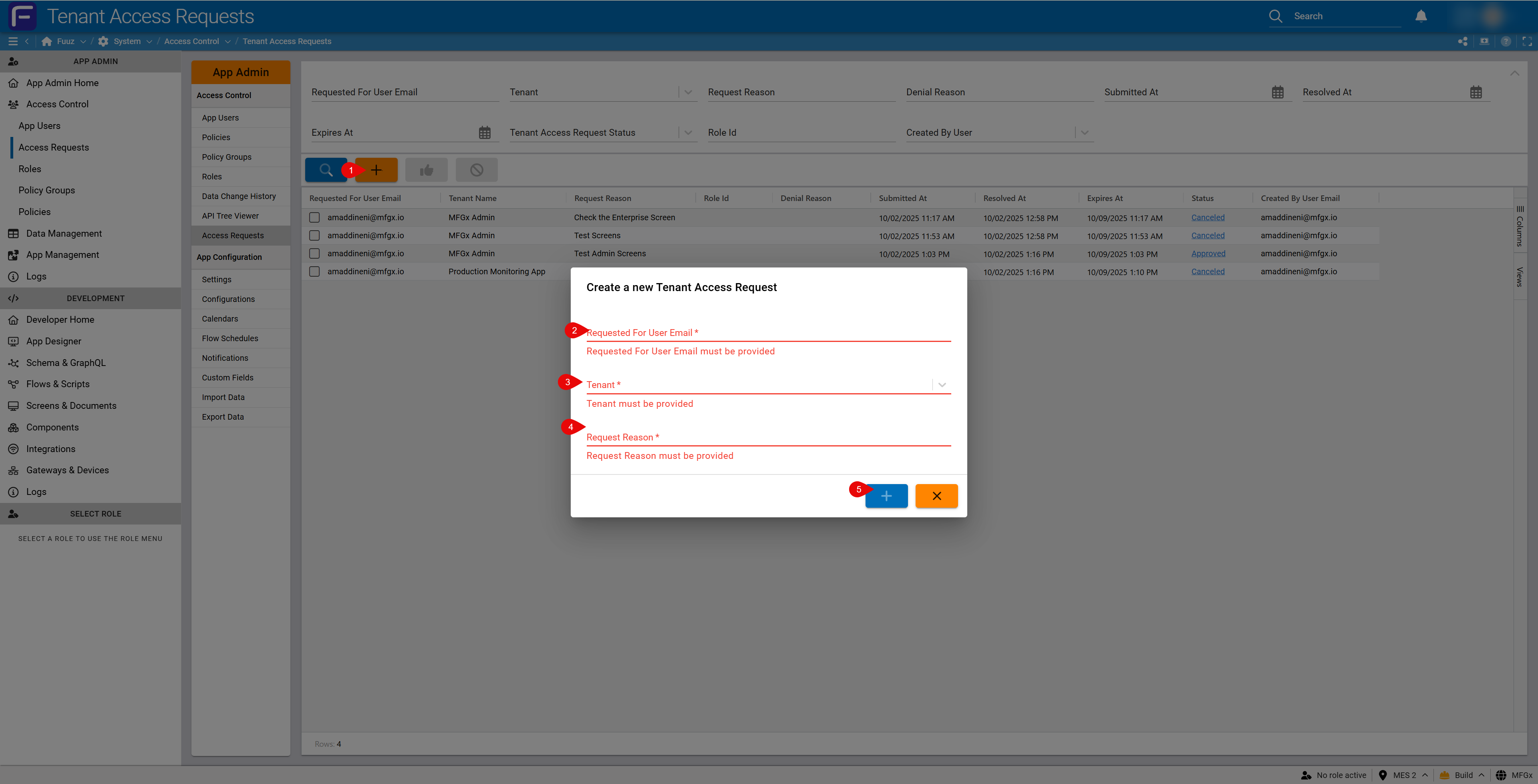
- Use Access Requests to request new users (enter email/username) if they are not yet in the enterprise. The next two steps will be completed by the Enterprise Admin upon approving the request:
- For existing users, assign appropriate Roles to grant screen/data permissions.
- Confirm the user's Access Type (usually Web Access) for this tenant.
Note: Application administrators cannot create enterprise users; requests route to Enterprise Administrators for approval and provisioning.
Revision History
| Version | Date | Editor | Description |
|---|---|---|---|
| 1.0 | 2025-12-23 | Fuuz Documentation Team | Initial Release |