2025.2 (February 2025)
Article Type: Release Notes Audience: All Users Module: Platform Releases
Note: QA Release Date: February 4, 2025. Production Release Date: February 18, 2025.
New Data Mapping Tool
The flagship feature released this month is a brand new core component of the Fuuz development ecosystem: a new Data Mapping Designer. You can find a quick-start for this new feature in the Data Mapping documentation, but I'll share a few notes and screenshots here.
Historically, our primary method of transforming data has been through JSONata expressions. While powerful, expressions can be complicated and confusing, and are very open-ended - they accept and return any value, which makes it easy to accidentally map data incorrectly without realizing it until much later. Our new data mapping tool was built to solve those problems. It provides a flexible and visual way to transform data between two shapes ("schemas") and ensures the data in and data out will consistently match those schemas, all without writing a single line of code.
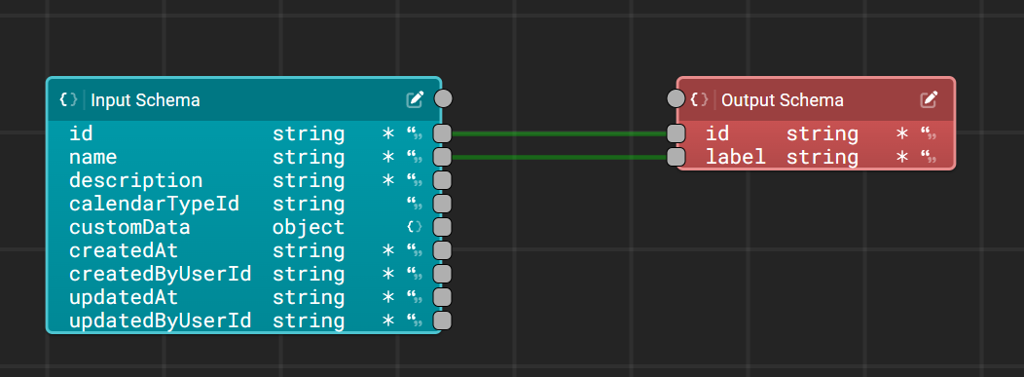
The new tool is called the Data Mapping Designer and can be accessed via the search bar. When you create a new mapping, the designer will first ask you to define your input and output schemas, defining what shape the data will take on its way in and out of the mapping. Once you've defined your input and output schemas - which can be done manually using our schema builder or automatically from a Fuuz data model or existing JSON data - the data mapping tool will validate the mapping as you go, helpfully highlighting which links are valid and will result in the data being mapped correctly.
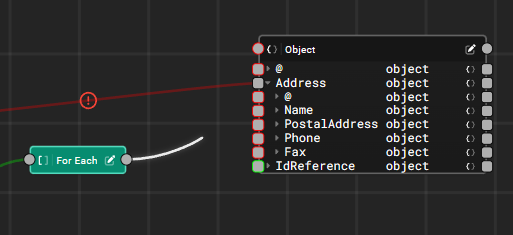
In addition to simple mappings, users can add new nodes to the designer using the right-click context menu to satisfy a wide variety of uses, such as filtering arrays, providing default values, or performing static lookups. We'll continue to add more function nodes in coming releases to expand the flexibility of the tool!
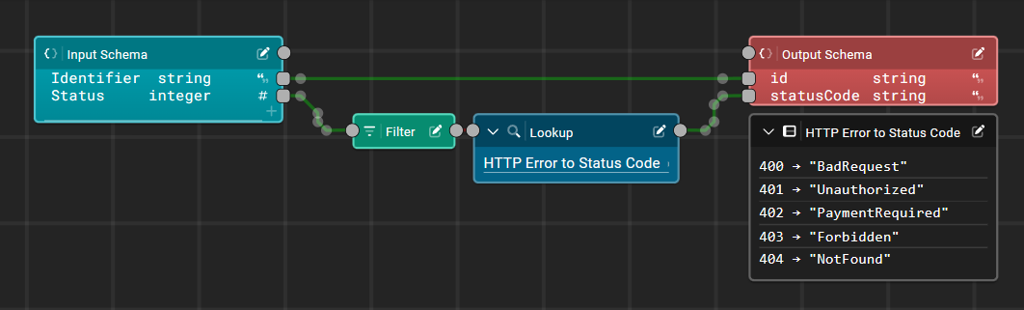
Once your data mapping is created, saved, and deployed, you can use it in a data flow via the Data Mapping node. Over time, we'll integrate this tool into a number of places in the platform where transform scripts are currently used to map data!
You may notice the new designer has a similar visual style to our existing Data Flow Designer, which may prompt the question - what's the difference? Fundamentally, a Data Flow is used to build business logic - which may include transforming data - but a Data Mapping is only used to transform data. A Data Flow may issue mutations to create new records, respond to webhooks, interact with devices, or run a Data Mapping, but a Data Mapping will only ever change the shape of data between two defined schemas.
There are lots more features I haven't touched on - including a full system for writing and running test cases to ensure changes to your mapping and schemas don't break your existing applications - so I encourage you to check out the quick-start above and play with the new Data Mapping Designer in your Fuuz instance!
Monaco Editor Enhancements
If you cast your mind back to last year, you may recall that in the September 2024 release notes we announced a new Monaco-based code editor for JSON data. At the time, we noted we'd be rolling out improvements and support for more languages in the coming releases. Well - the time has finally come to make good on that promise!
JSONata and JavaScript Language Support
The 2025.2 release adds language support for JSONata and JavaScript transforms in our editor, and replaces the legacy editor with our new UI anywhere those language modes appear in Fuuz. This means anywhere users edit transforms - whether it be in the Transformation Explorer, Flow Designer, or Screen Designer - they'll now be using the new and improved UI. All the fantastic features outlined in the 2024.9 release notes now apply to those scripts - the Command Palette, find and replace features, minimap, and more are now available throughout Fuuz.
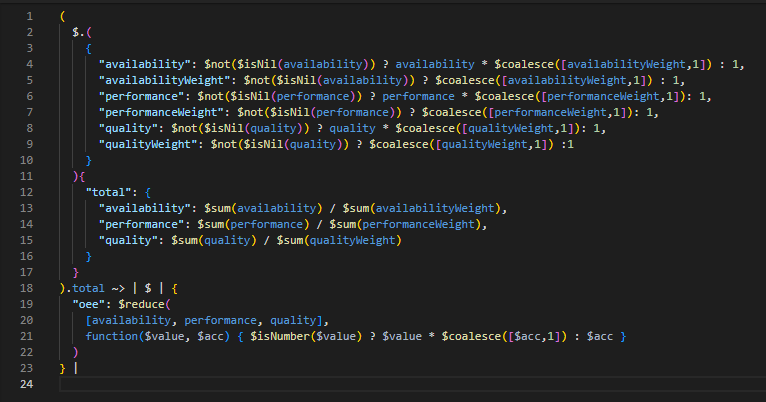
Next on our list is GraphQL - and as a matter of fact, the language mode itself is ready. We're now wrapping up work on a completely reimplemented API Explorer that uses our new editor, as well as making sure the editor supports a few other much less common language modes (like SQL)!
Improved Snippets and Autocompletion
In addition to the new language support, we're also rolling out much-improved CTRL+Space snippet and autocomplete behavior in the updated editor. Snippets now search using fuzzy matching, which means it's much easier to find what you're looking for even if you don't know exactly what it is. Say you remembered there being a function available to parse a string to JSON; you can simply type parse and then hit CTRL+Space, and the editor will suggest not just functions directly starting with parse, but also items containing parse (or something close to it). You can then cursor through the list and read the descriptions until you find what you're looking for.
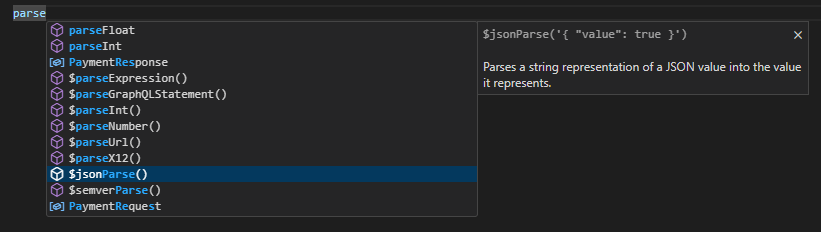
Now that we're able to display much better information - such as examples - in the snippet panel, we'll also be working through our snippets to standardize the output in an upcoming release, so they act more properly like code completions rather than inserting an example of the function. We'll also continue improving the quality of our matching and contextual completion, especially in JSONata, to deliver the best experience possible for advanced users of the platform.
Other Highlights
Data Flow Audit User Improvements
This month's release includes a change to how audit users (created by and updated by) are tracked on records in Fuuz. Prior to this release, changes made through mutations in a data flow or saved transform would have been tracked against a system user, even if that data flow or saved transform was initiated by an end user. Starting with this release, we've updated the system to track the original "on behalf of" user through the entire request chain, ensuring any changes to data that happen downstream as a result of that request display the original requesting user as the created by or updated by user. This makes it easier to trace changes back to the user who actually initiated the change.
This change means that administrators no longer have visibility into how a change was made - whether through a form screen or a data change flow, the audit user fields look the same. Fortunately, we're planning to introduce further tracing features to help administrators identify which screen, data flow, or other system entity a change originated from - keep an eye out for those features in Q2!
Document Auto-Print and Auto-Close
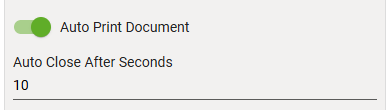
The February release includes new features to streamline printing in browser environments. The "Document" navigation action now includes settings to automatically "print" the document when a new tab is opened with the document, and to automatically close the new tab after a specified number of seconds. Combined with kiosk mode printing in Google Chrome, these options allow for printing PDF documents (including labels) to the default Windows printer with no user interaction required. Future releases will bring this functionality to web flows, as well!
ChatGPT Connector
The 2025.2 release adds an exciting new connector for OpenAI's ChatGPT API. This connector allows app builders and end users to create generative AI-driven applications in the Fuuz platform. During connector configuration, users can specify system-level prompts to provide specific instructions on how the model should process or respond to requests, such as requesting brief or detailed responses or that it respond in a particular persona. There's lots more to come on AI connectivity and support in the Fuuz platform!
Progress Bar Screen Element
Finally, the February release adds a new screen element to visually display progress. This progress bar supports values within a specified range, and includes a nice animation to smoothly update as the progress changes. In the recording below, we're driving the display using a text input, but typically the progress percentage would be based on some value behind the scenes - for example, the number of inventory units produced against the expected work order quantity.
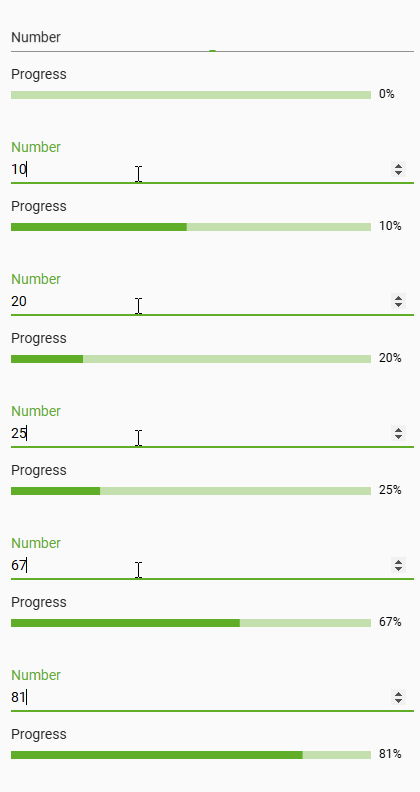
We'll be using this element in our new data export system which will be coming in 2025.4; upcoming releases will also add a few new features, such as support for dynamic bar color based on the progress percent!
Full Release Notes: 2025.2.0
Data
GraphQL API
- Fixed an issue that would occur when mixing string casing on sequence key values
Security
- Added "on behalf of user" system to track original request user in audit fields for changes made via data flows or transforms
- Added check to prevent updates to inactive user or user tenant records
- Added Tenant Access Type to app users table and form
- Updated create/update forms for Tenant Access Type to correctly filter to access types that are compatible with the user's Enterprise Access Type
DevOps
- Updated build and QA environments to Redis 7.4
- Updated production environments to Kubernetes 1.31
- Upgraded convict configuration library to latest version
Integration
Integration Connectors
- Added OpenAI Chat (ChatGPT) integration connector
- Added support for algorithm options in SFTP connector
- Added additional fields to integration request logs:
- Return Errors
- Degree of Parallelism
- Number of Requests
- Request Name
- Request ID
- Added migration to ensure TTL indexes exist for integration request logs
Orchestration
Package Builder
- Fixed issue with package builder search feature and label fields
User Interface
Components
- Updated chart library to latest version and added fullscreen mode for visualizations
- Added support for Javascript and JSONata scripts in Monaco editor
- Updated table sorting logic to gracefully handle null values
Screen Designer
- Added a Progress Bar screen element
- Added fields to allow changing screen and version descriptions during screen deployment
- Updated table generation to automatically set the background color of relation columns with color fields
- Updated table and form generation to automatically add additional filters for active and usable to select inputs for models with those fields