2023.7 (July 2023)
Article Type: Release Notes Audience: All Users Module: Platform Releases
The Fuuz engineering team continues to bring the heat this summer with another jam-packed release as we wrap up our Q2 roadmap. Here are just a few of the highlights!
🎥 Video walkthrough: See the highlights discussed live in this recording: Watch on YouTube
Streamlined Edge Gateway Updates
To kick us off, the July 2023 release includes a set of improvements to the Edge Gateway system to streamline gateway administration and the application of updates.
Improved Update Visibility
To start out, the Edge Gateways screen has received several updates to help administrators identify which gateway installations are in need of updates. First, the Application Version column is now color-coded to identify the support status of installed gateway versions: gateways which are up to date are green; versions which are not the latest but are still under support are yellow; and those running unsupported versions and in need of immediate update are red.
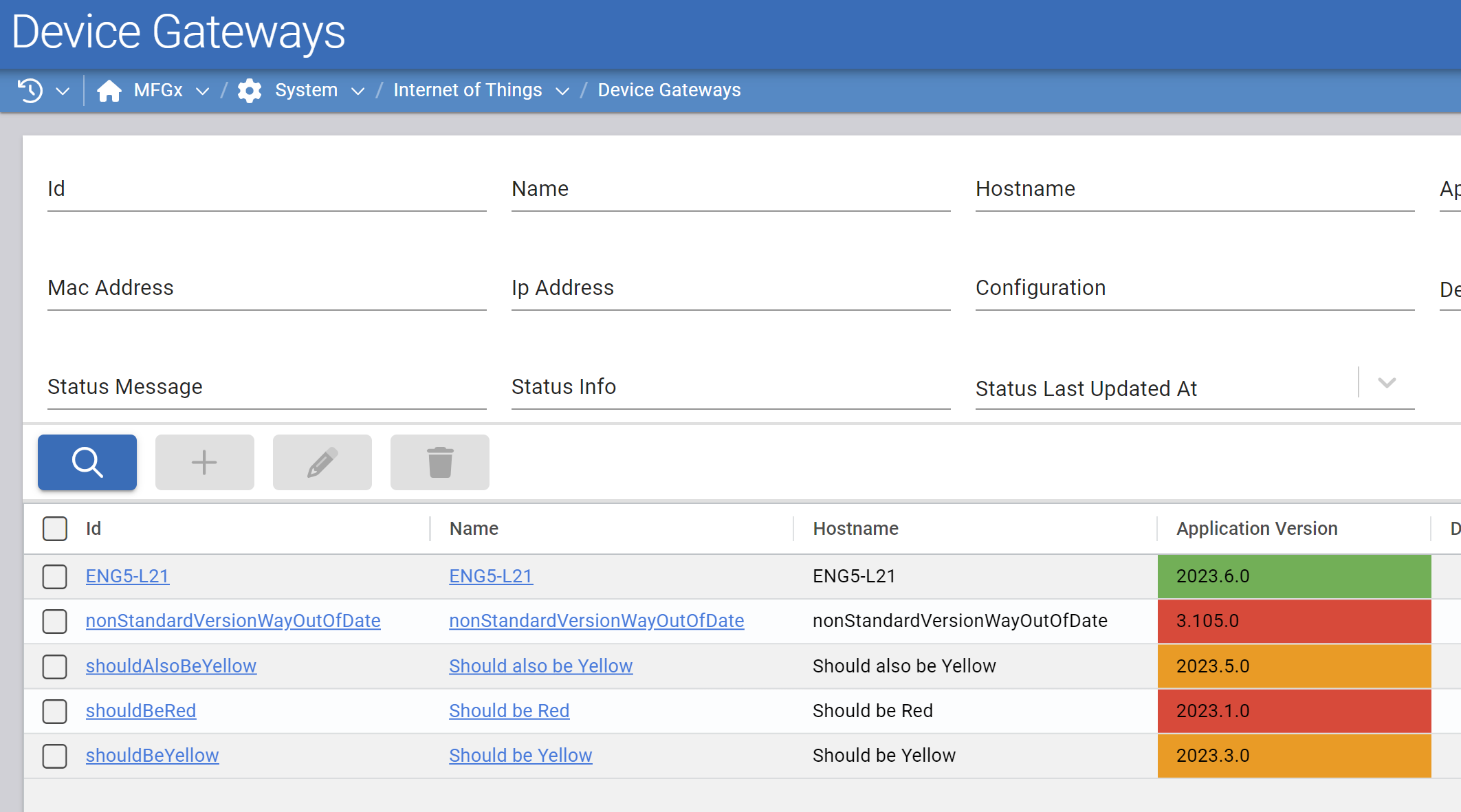
Additionally, there's a new "Updates Available" column which indicates when a gateway installation has identified that updates are available and ready to be applied.
Remote Updates
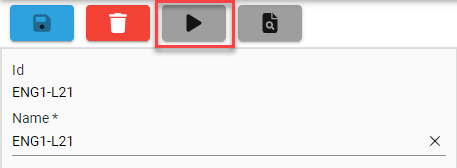
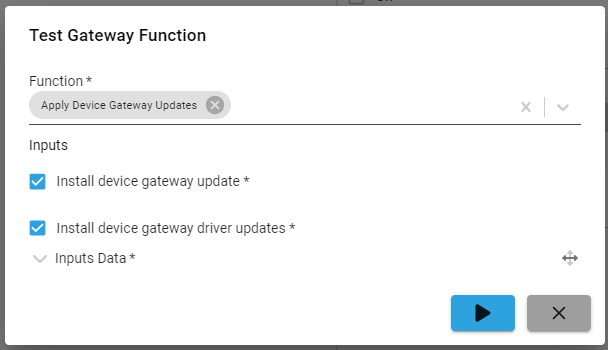
Once an administrator has identified an update is available, they would previously have needed to sign in to the machine on which the gateway was installed in order to initiate an update. With version 2023.7.0 of the Fuuz Platform and Edge Gateway, updates can now be initiated remotely from the Edge Gateways form via the "test function" button. Administrators can select whether they want to install a gateway update, driver updates, or both.
Auto Update Configuration Option
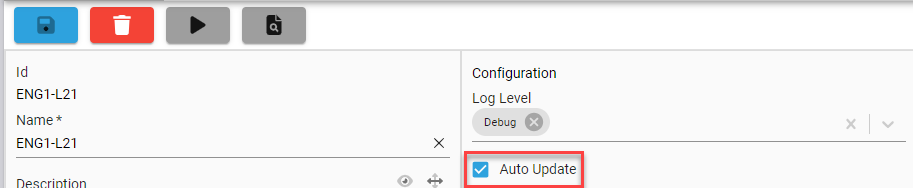
In some organizations and installations, it makes sense to simply allow the Edge Gateway to keep itself up to date with the latest available version. With the July 2023 release, that's now a configuration option which can be set from either the gateway's setup screen or from the Edge Gateways screen in Fuuz. When checked, the gateway installation will automatically apply gateway and driver updates when it finds new updates are available.
Together, these new features should make managing Edge Gateway updates much easier for enterprise administrators!
Note: The Update Available, Remote Update, and Auto Update features are only available in Edge Gateway version 2023.7.0 or greater. This means administrators will need to update manually to the new version before these new features can be used.
Table Row Drag & Drop
On the screen designer side, this month's release includes a set of table features we've had on the list for a while - support for dragging and dropping table rows.
Drag & Drop Configuration
To support these new features, Table elements now have quite a few additional configuration properties under the "Behavior" section. These options control whether row dragging is enabled and how it behaves when it is. To learn more about what each of these options does, enable field-level help in Fuuz or check out our platform documentation.
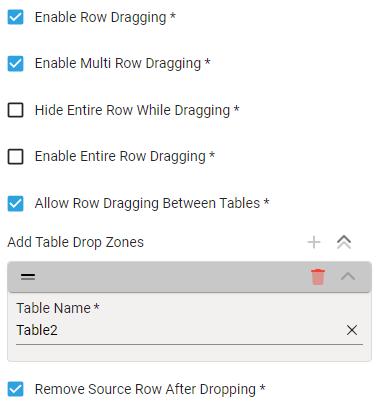
Tables also have a new "On Data Change Transform" field which can be used to implement additional logic when rows are dragged and dropped.
Reordering Table Rows
The first use case table row dragging supports is reordering rows within a table. One or more rows can now be dragged and dropped to change the order of the underlying data; screen designer users can then create an action or web flow to save the reordered data in whatever fashion makes sense for the screen.
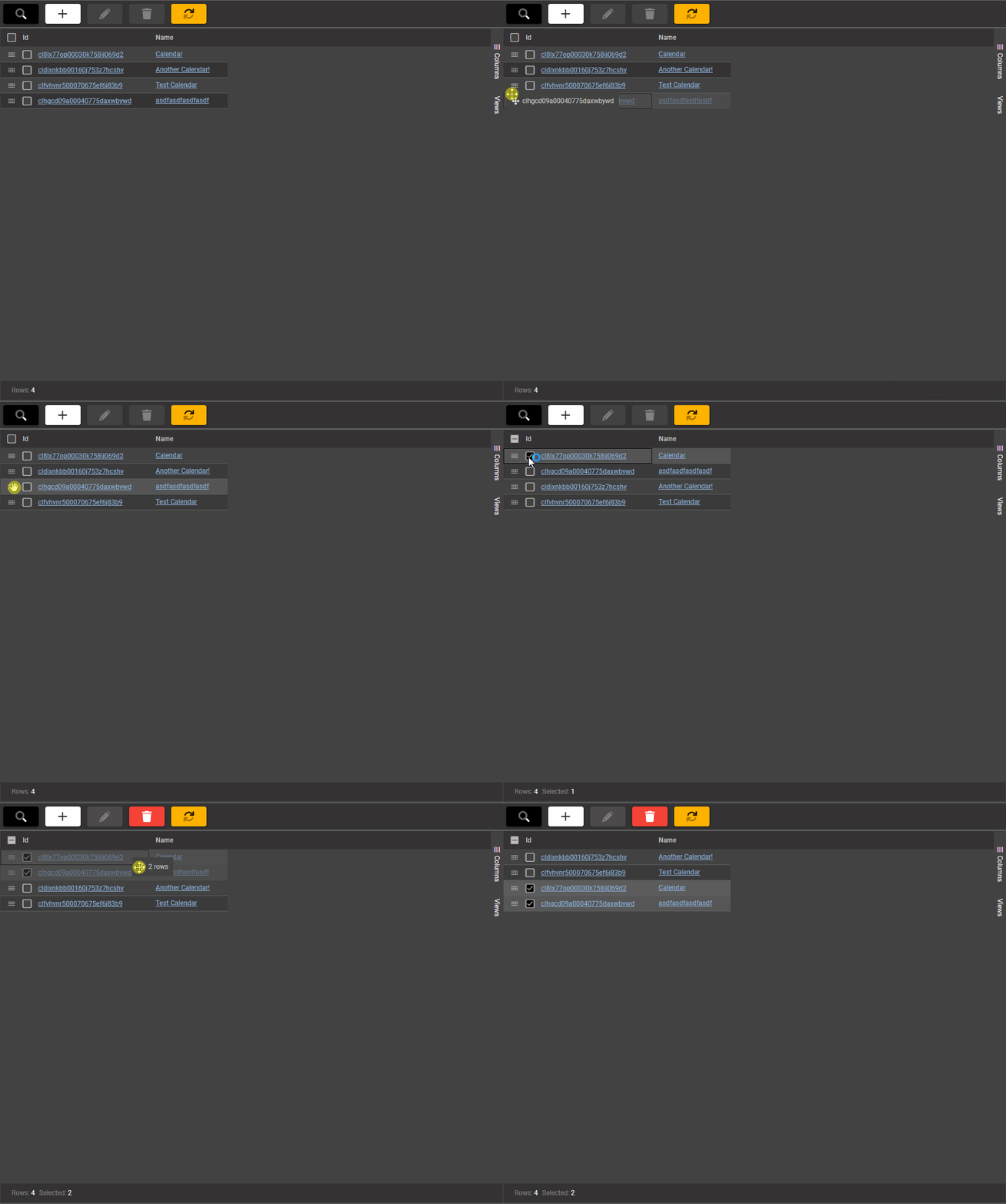
Dragging Between Tables
The second and more interesting use case enabled by row drag and drop is moving rows between tables. This feature will add the dragged rows to the underlying data for the drop target table and (optionally) remove those rows from the source table. From there, screen designer users can again create an action or web flow to save the modified data. This enables some common use cases such as drag and drop scheduling, allocations, and grouping!
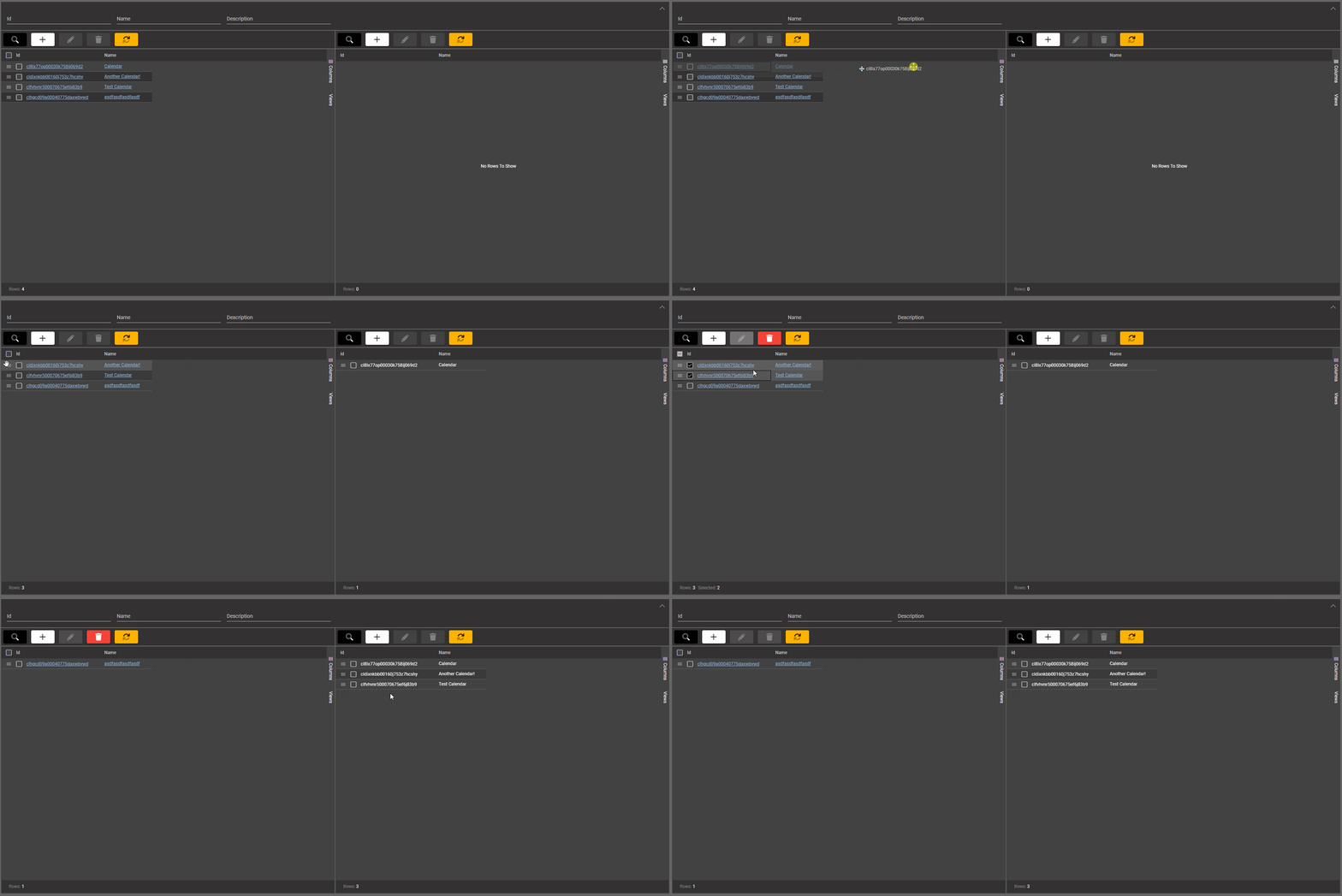
If you think these features are neat, keep an eye out for next month's release - we have another fantastic screen designer table feature lined up!
Authentication Event Logging
Also included in the July 2023 release is a new audit and visibility feature for administrators: authentication event logging. Previously some of the information this new feature captured was available in different places in the platform; this feature creates one view of all authentication events in the system. Those authentication events include attempted and successful sign in, token refresh, password change, account recovery, API key creation, and more. Administrators can get a global view of all authentication events using the Authentication Events table, which has been added to the system menu.
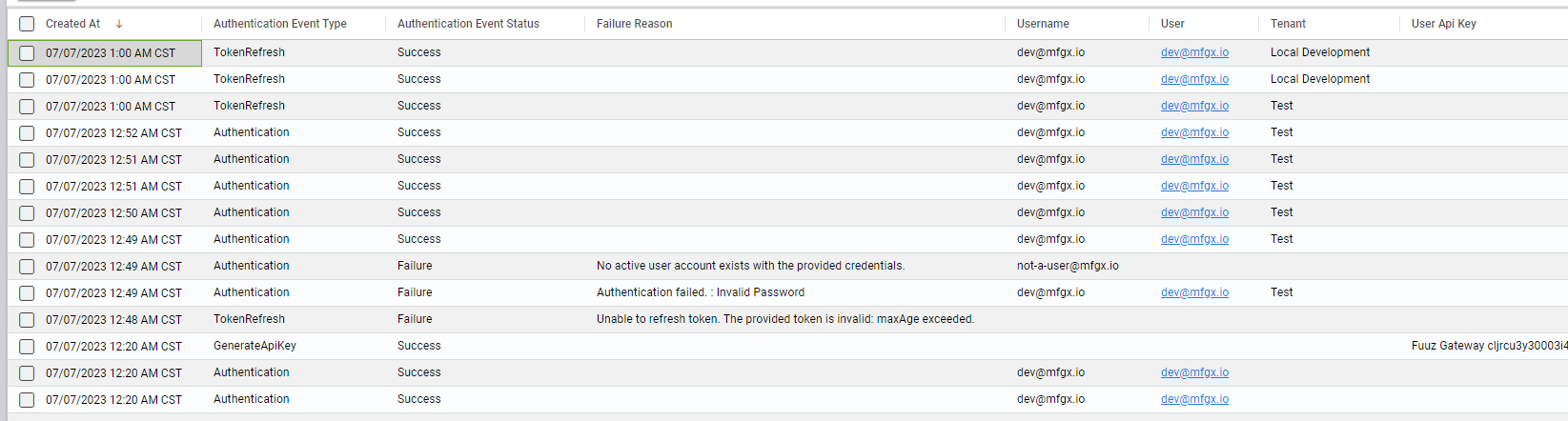
Additionally, an Authentication Events tab has been added to the Enterprise User, Tenant, and API Key forms to display only the contextually relevant events for that entity.
This new event logging performs a few different functions. First, it provides an additional audit trail of which users accessed the system and when, as well as who performed certain important authentication events. Logged events are kept for the same data retention period as other critical audit data in Fuuz, so administrators will be able to go back months or years if required.
Second, these logged events may help administrators help their users. Following best practices for account security, end users don't receive detailed information on what went wrong during a failed login. However, information about what went wrong is logged as part of the authentication event (e.g. invalid password or invalid MFA token), allowing an administrator to guide their users toward a solution.
More Highlights
Container On Click Transforms
While action buttons in the screen designer are customizable, a common request in the screen designer has been for the ability to treat any container element as a button. That feature is now supported with the On Click Transform field on containers, which allow screen designer users to write an expression to run when a user clicks on a container element. That expression can execute an action button, run a web flow, or use any of the other screen element functions available.
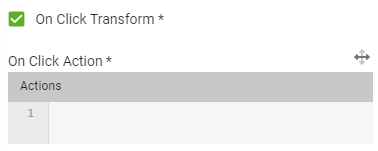
This feature allows for interactive, button-style elements that have the same content and layout flexibility as the rest of the screen designer.
Date & Time Localization
Finally, the 2023.7.0 release includes improvements to the way the web application handles and displays time zone data for dates. In prior versions of the platform, by default, dates and times were displayed to the user in their local browser time zone, regardless of the source of the data. While this is typically an intuitive option for most customers and users and remains the default behavior, it can sometimes cause confusion in large organizations with a global presence. For those use cases, there are two settings in Fuuz related to time zone handling.
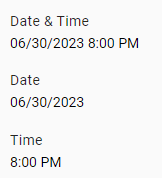
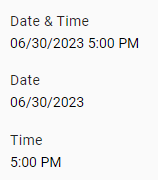
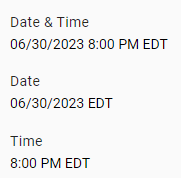
The Time Zone setting allows administrators to set a time zone to use for a tenant or specific user. Once set, all dates and times in Fuuz will display in the selected time zone rather than the local browser time. While this handles the time offset smoothly, it can still leave some confusion for users who may be viewing data from a time zone that differs from the selected value. To help address that, the Always Display Time Zones setting indicates to Fuuz that it should always display time zone identifiers on dates and times, even when the time zone matches the Time Zone setting; the default behavior, on the other hand, is to only display a time zone identifier when the time zone is different than the Time Zone setting.

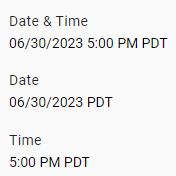
To help illustrate the behavior, here are a few examples of different setting combinations and their impact on displayed dates and times. The date and time used in all examples is midnight UTC July 1st (or 2023-07-01T00:00:00.000Z in ISO timestamp form).
Always Display Time Zones = False
Always Display Time Zones = True
Full Release Notes: 2023.7.0
Data Team
Schema Designer
- Added empty data model deletion check to
skipReferenceChecksflag - Added data model names to metadata returned by validation to clarify which data model(s) in a batch failed validation
- Updated data model deployment system to correctly process deployments one model at a time
Security
- Added tenant status schema and field to manage the lifecycle of tenants
- Added security event logging system & screens to track attempted and successful sign in, token refresh, password change, etc.
- Added logic to automatically deactivate API keys on deactivation of users, tenants, or user tenant access
- Updated User API Key create dialogs to include a "Copy to Clipboard" button
- Added count of connections by connector and use of deprecated nodes to tenant & enterprise metrics
Core APIs
- Optimized schema generation process to reduce impact of deployments and startup time on application service
Integration Team
Edge Gateway
- Added opt-in automatic updates for Edge Gateway installations
- Added an MQTT Sparkplug B driver
- Updated platform version check to correctly account for year rollovers
- Added color-coding to the Application Version column on the Edge Gateways screen to identify installations in need of updates
- Fixed an error that could occur when publishing to a device subscription using an API key with insufficient permissions
- Updated device function execution to use a pooled open connection to RabbitMQ
- Updated Edge Gateway to only attempt to connect once on startup if an invalid credential error is returned
- Updated UI to match header colors to the connected environment
- Added logic to remove unused Edge Gateway bundles and driver versions after installing an update
Integration Service
- Updated error handling logic for several connectors to ensure error messages are returned as a property on an object
Integration Connectors
- Updated Quickbooks connector to better handle refresh token expiration
Subscription Service
- Added event handlers to disable event publishing when a tenant is deactivated
Miscellaneous
- Added migration to create collections for upcoming notification platform
Orchestration Team
Data Flows
- Applied a small randomized offset to scheduled executions to spread out workloads
Scheduler Service
- Updated the data flow system to delete schedules & frequencies upon deletion of a data flow
- Corrected an issue where frequencies would continue running after being repeatedly recreated and deleted
Scripting Language
- Corrected the API path used by the
$integratebinding in frontend transforms/web flows
Package Management
- Applied a number of fixes and quality-of-life improvements to the Package Definition Editor
Miscellaneous
- Updated AMQP connection manager
User Interface Team
Screen Designer
- Added support for dragging rows within and between tables
- Added support for "on click" transforms on containers
- Added a Calendar display screen element
- Corrected an error that could occur when a nonexistent form was set as the filter form name for a table
- Corrected an error that would occur when using a dynamic value for flow button icons or colors
- Added support for either refreshing or opening a new tab when changed data is detected
Framework
- Added automatic time zone localization for date and time fields
- Added schema for calendar resources and types
- Tweaked the snackbar message for the Share button
- Changed system menu root from "MFGx" to "Fuuz"
- Tweaked frontend width breakpoints to stay in "desktop mode" when a window is snapped to half of a typical monitor
Miscellaneous
- Updated to Webpack 5