MQTT
Article Type: Reference Audience: Developers, IT Module: Edge
MQTT (Message Queuing Telemetry Transport) is a lightweight, efficient publish-subscribe messaging protocol designed for constrained devices and low-bandwidth, high-latency, or unreliable networks. It is especially popular in IoT and machine-to-machine (M2M) communication.
Connector type: Physical device connector — uses the MQTT device driver and is added as a device connection on the Edge Gateway.
Key concepts include:
- Publish-Subscribe Model: Publishers send messages to topics; subscribers express interest in topics. When a message is published, the broker delivers it to all interested subscribers.
- Quality of Service (QoS): Three levels control delivery reliability:
- QoS 0 (At most once): Delivered at most once; no acknowledgment, some messages may be lost.
- QoS 1 (At least once): Guaranteed delivery at least once; duplicates may occur.
- QoS 2 (Exactly once): Guaranteed delivery exactly once, with no duplicates.
- Lightweight: Minimal overhead in message size and bandwidth, suitable for devices with limited processing power and memory.
- Retained Messages: When sent with the "retain" flag, the broker stores the last message on that topic and delivers it immediately to new subscribers.
- Last Will and Testament (LWT): Clients can specify a "last will" message that the broker sends if the client disconnects unexpectedly.
- Session Persistence: Brokers can remember client subscriptions so clients receive messages missed while disconnected.
- Security: Supports TLS for encrypted connections and username/password authentication.
- Wildcards: Topic subscriptions support wildcards (
+,#) to receive messages from multiple topics with a common pattern.
Configuration
- Broker Url: The URL for the MQTT broker to connect to.
- Username: The user name to use if the broker does not allow anonymous connections.
- Password: The password to use if the broker does not allow anonymous connections.
- Last Will and Testament: A message sent to subscribers if this client disconnects ungracefully.
- Topic: The topic to publish data to. Can include wildcards (
+,#). - Payload: The data to publish to a topic.
- Retain: Whether the message should be retained by the broker and sent to clients as soon as they subscribe.
- Quality of Service: The QoS to use when sending the message.
- Topic: The topic to publish data to. Can include wildcards (
Functions
Publish
Publishes data to an MQTT topic. Takes an array of objects with the fields:
- Topic: The topic to publish data to.
- Payload: A string representing the data to publish.
- Encoding: The way to encode the data from the payload.
Testing
Mosquitto Broker (mosquitto.org) — download the Eclipse Mosquitto broker to connect MQTT clients for testing. Once installed, it should appear running in the Windows Service Manager. You can then use an MQTT client to subscribe to topics, and another client to change topic values.
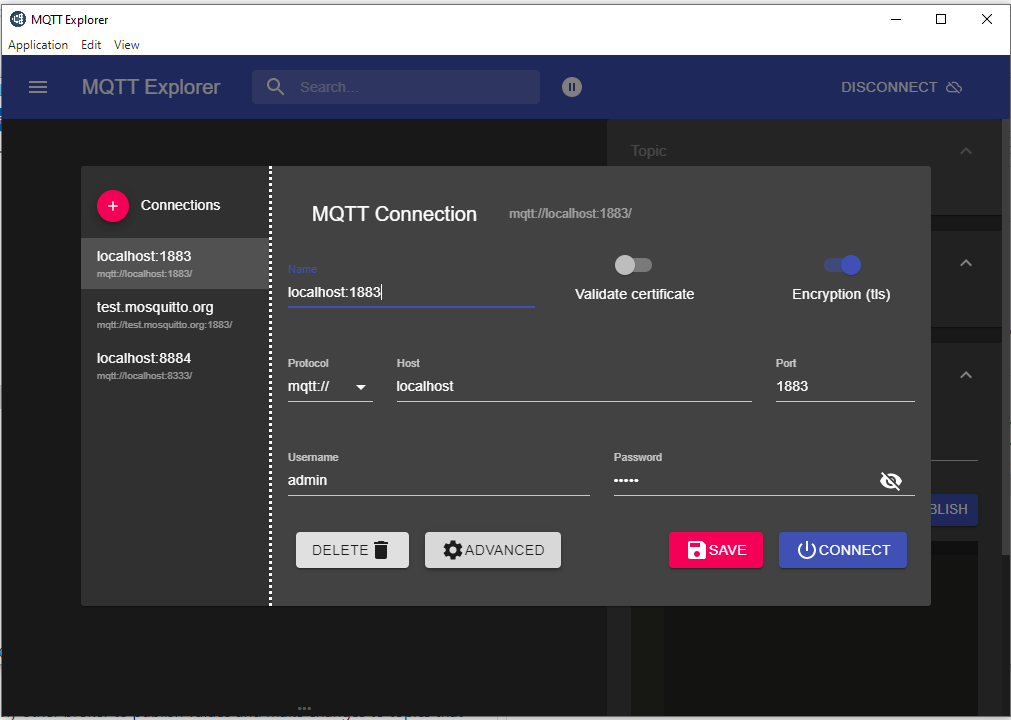
MQTT Explorer (mqtt-explorer.com) — connect to Mosquitto or any other broker to publish values and make changes to topics that can be picked up by other clients.