2025.10 (October 2025)
Article Type: Release Notes Audience: All Users Module: Platform Releases
Note: QA Release Date: October 7, 2025. Production Release Date: October 21, 2025.
We have a big pile of feature highlights that will shiver your bones this October - I promise they're all treat and no trick. Read on to learn more!
API Tree Data Browser
The October 2025 release includes a new way to browse data in Fuuz: an API tree data browser! This component is available as a standalone screen ("API Tree Browser") or as a screen designer element for use in custom screens. It allows users to view data in the Fuuz GraphQL API in an expandable tree format, which is great for browsing hierarchical data like inventory.
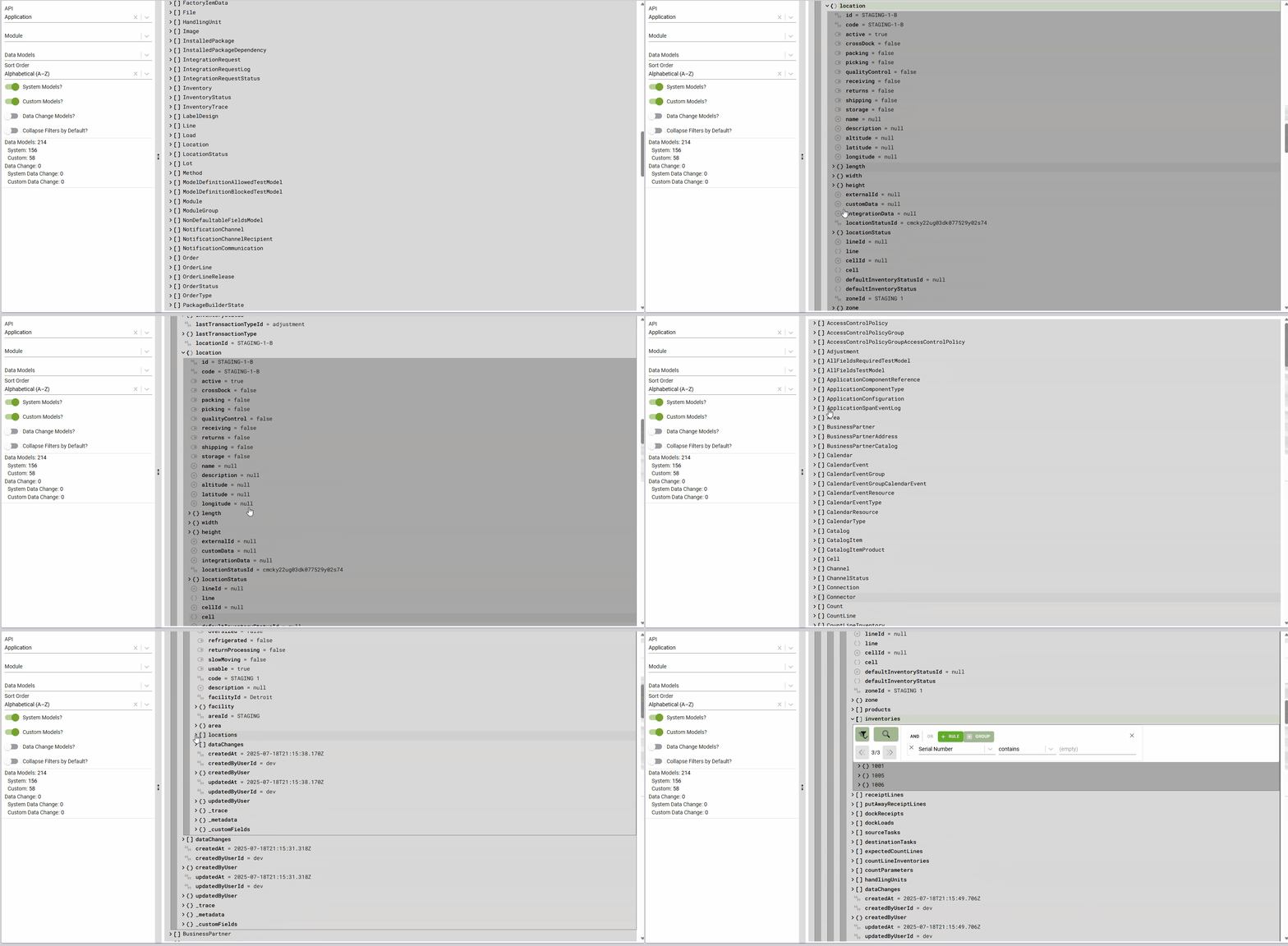
The tree data browser is part of our ongoing goal of making data in Fuuz easier to comprehend, emphasizing the strong data modeling capabilities in the Fuuz platform.
Export System UX Improvements
Since we released our data export system in May, we've had lots of users with a variety of experience levels use it, and they have provided some great feedback! With this month's release, we've completed a round of user experience improvements based on a combination of that user feedback and our own plans to improve the tool post-launch. We'll break those changes down into a few categories below!
Scheduled Exports
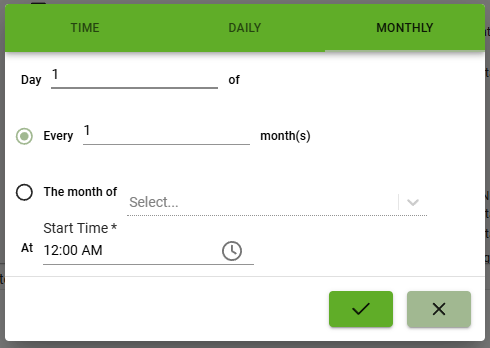
First up, saved export configurations in Fuuz can now be scheduled to run on a recurring basis! The user who created the export configuration will be automatically emailed when the scheduled export is completed, and the export history can always be viewed in the Export History screen. This is a great feature for automating simple reporting or data backups from Fuuz - although as always, more complicated use cases can still be handled using the data flow system.
Simplified Basic Exports
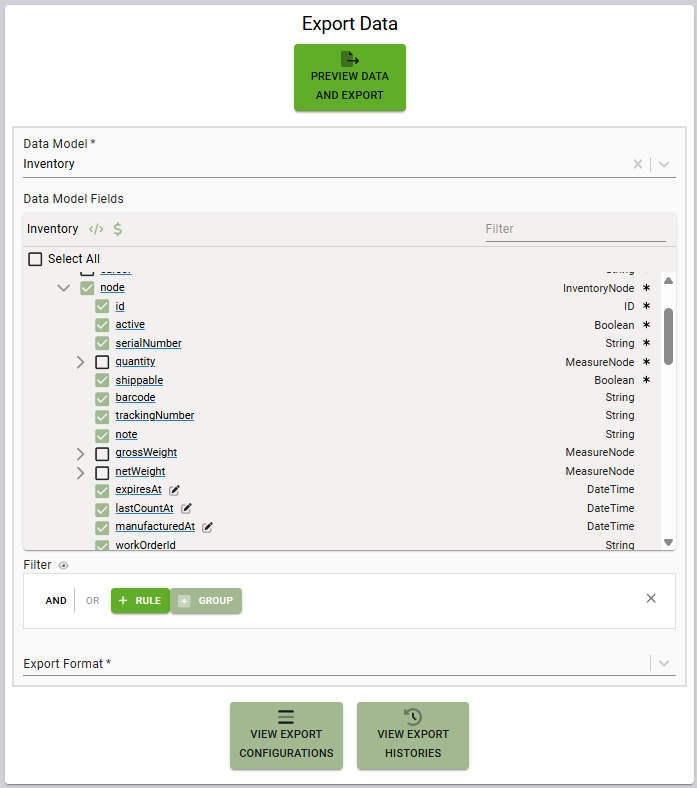
With this release, we've also made the process of getting a simple export more straightforward. The Export Data screen is now a simplified interface, and with as little as five clicks, users can get a full export of every record in a collection: just select a data model, select the desired fields, select an export format (CSV or JSON), and hit go!
Standardized History & Configuration Screens
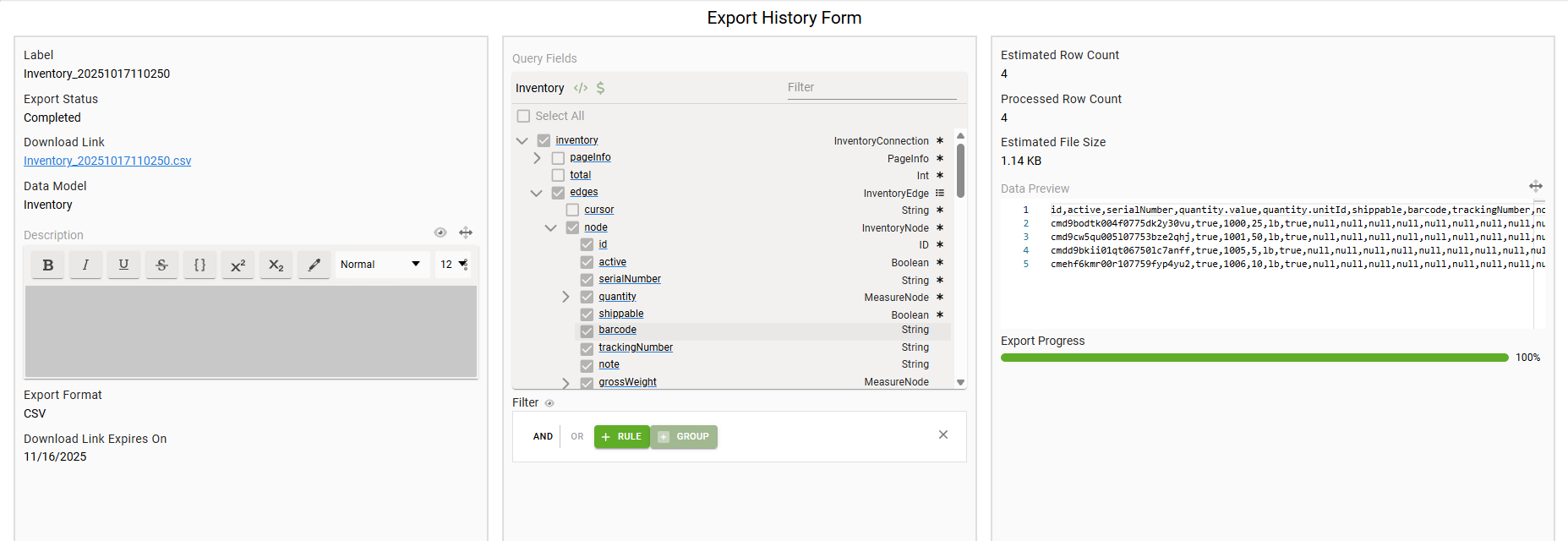
Finally, we've implemented a significant round of changes to the Export Configurations and Export History tables and forms to improve consistency and make both screens flow more naturally. There's always further room for improvements, so we'd love your feedback - let us know what you think!
More Highlights
Screen Designer Scripts Tab
The 2025.10 release includes a new toolbox tab in the screen designer: Scripts! This tab displays a summary of all "dynamic" behavior in a screen, such as hide/show or data properties that have computed values based on other screen state. Each element with at least one dynamic script property is displayed in the panel, and users can hover over elements in the panel to see what properties on an element are scripted. Using the Search input on the panel, the elements can be quickly filtered by element name, scripted property name, or the content of the script.
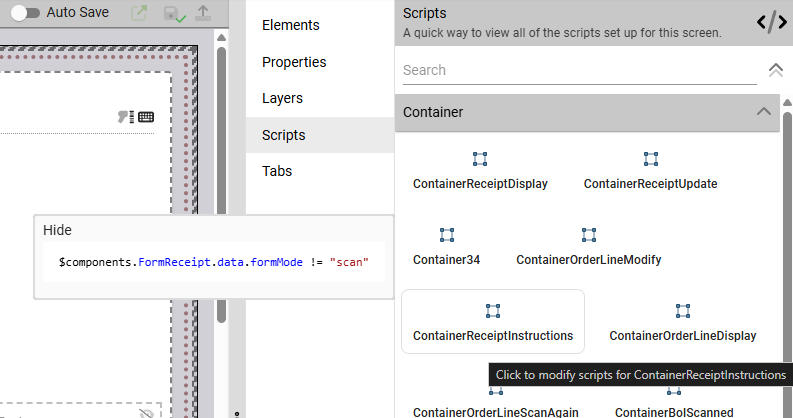
Users can also click on any of the elements with scripts to edit the scripted value for any of the properties:
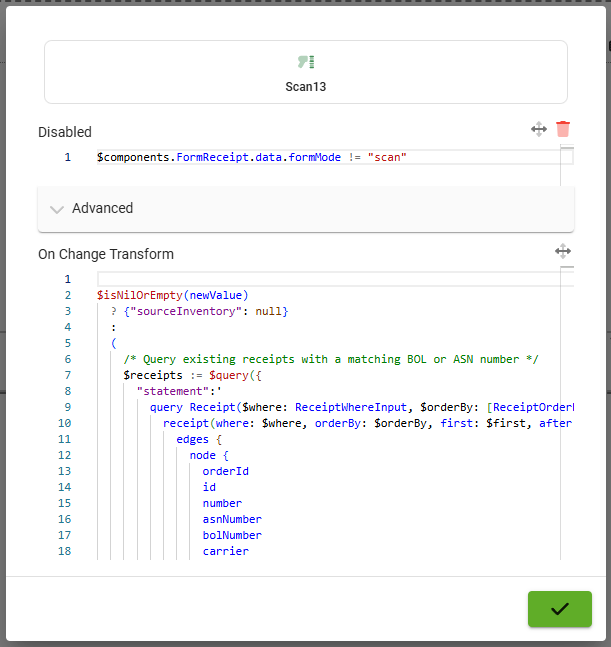
This new tab makes it easier to understand the dynamic behavior running in a screen, which is especially valuable for complex screens with a high level of interactivity and guided user experience.
Application Substitutes
Also included in this month's release is a new feature aimed at making life easier for developers of reusable applications: Application Substitutes! Substitutes are a system-wide method for implementing customizations to screens, flows, data mappings, and other application components, keeping those customizations separate from the original implementation. Fuuz will use the substitute anywhere the original component is referenced - links, flow nodes, etc. - and the base app can always be upgraded underneath those customizations to bring the latest features to a customized implementation (although updates to the customizations may also be needed). One notable exception to this system is the Schema Designer - data models don't have substitutes... that's what custom fields are for!
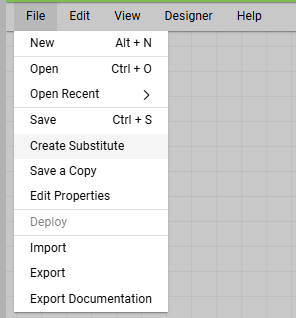
You can find the "Create a Substitute" button in each designer's file menu, and you'll find new columns on the relevant tables to indicate which entries substitute or are substituted by another one. To "remove" a substitute and return to the base app's behavior, simply deactivate or delete the substitute component.

Full Release Notes: 2025.10.0
Data
GraphQL API
- Added an API Tree Browser screen & screen element for browsing GraphQL API data in a tree format
Security
- Added an OIDC authentication prompt type option to allow administrators to select between sign in, consent, and select account prompts for SSO
- Added a readonly policy editor to role and policy group forms which summarizes applied policies
- Added a new Tenant Access Request system for requesting access to apps within Fuuz
Export System
- Implemented a wide variety of UX improvements to exports and export configuration
DevOps
- Added Topic count to enterprise and tenant metrics
- Added integration request counts by connection to enterprise and tenant metrics
Integration
Edge Gateway
- Corrected an issue where changes to the log level wouldn't apply until after a gateway restart
- Added support for serving screens directly from the Edge Gateway and proxying all cloud interactions through the established Websocket tunnel
- Added streamlined authentication provisioning process for initial Edge Gateway setup
Integration Platform
- Updated Fuuz connector to correctly pass query and mutation variables
- Corrected a bug with the filters on the Integration Request Logs screen
- Updated MSSQL connector to latest library version and added connection pooling
- Updated Microsoft Dynamics 365 connector to use the new
client_credentialsgrant type - Added a new EDI Nation connector and updated EDI bindings to use a new "system" connector type so binding calls are logged
Orchestration
Package Management
- Added "special cases" for data mapping and documents to package definition editor
- Updated to better handle nullable unique fields
Scheduling
- Added more validation for RRule fields to ensure values are useful RRules
Scripts
- Updated PDF.js library and
$pdfToJsonbinding - Improved JSONata syntax highlighting accuracy for strings and comments
- Added
$convertUnitunit conversion binding, as well as a$getUnitbinding to return unit information by name, code, or ID
User Interface
Application Designer
- Added a framework for app substitutions to better support customization of deployed apps
Framework
- Added support for cross-tenant queries and mutations in system screens
- Updated web UI theme to follow system theme by default in new tenants
- Corrected an issue with the predicate builder which could cause it to output invalid
_andpredicates - Corrected an issue which could cause desynchronization between editable table columns and the underlying table data
Screen Designer
- Added a "Remove Margin" configuration option to the root Screen element in the screen designer
- Added a "Menu" table column type and screen element with support for hamburger/kebab/meatball menus
- Added a Scripts tab to the toolbox panel summarizing dynamic functionality on the screen
- Updated Toolbox tab to use grid layout for elements
- Improved component context handling for complex context-bearing screen elements (including cards, table master/detail, widgets, and screen dialogs)